 )to modify the mesh on boundaries in 3D, as seen in Figure 8-102. Supported for mesh-based geometries and imported meshes.
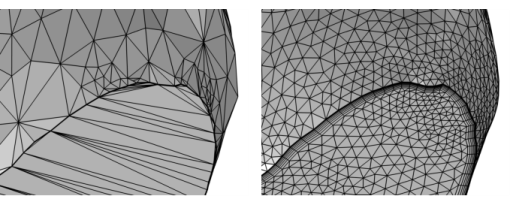 )to modify the mesh on boundaries in 3D, as seen in Figure 8-102. Supported for mesh-based geometries and imported meshes.
 |
 |
To remove domain elements, either clear the Import domain elements checkbox in the Import operation or add a Delete Entities operation on Domain level with the Keep as unmeshed domains checkbox selected.
|
|
•
|
|
•
|
|
•
|
Right-click a Mesh-Based Geometry node, a Mesh, or a Mesh Part node and choose Remesh Faces (
 ) from the More Generators menu. ) from the More Generators menu. |
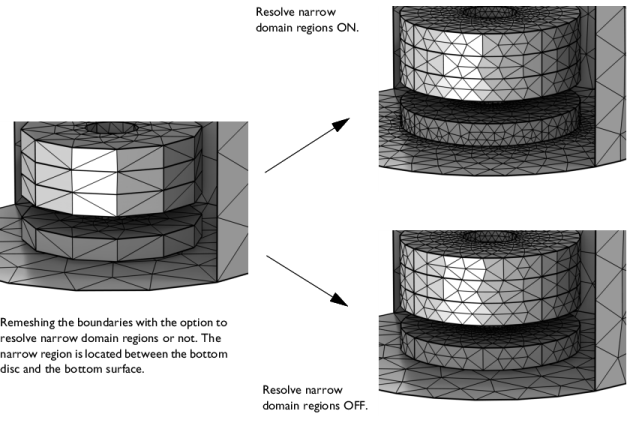
|
•
|
Select Linear to place new or moved mesh vertices on the input mesh. The resulting mesh will keep the shape of the input mesh to a great extent.
|
|
•
|
Select Curved (default) to place new or moved mesh vertices on a curved surface approximation of the input mesh. On curved faces where the mesh has been refined, the resulting mesh will typically be smoother than the input mesh.
|
 |
|
 ).
). ) menu.