
|
|
|
 and paste the numbers as they are printed in the document (for example paste “113 and 139” for the example above).
|
1
|
|
2
|
|
3
|
Click Add.
|
|
4
|
Click Study.
|
|
5
|
|
6
|
Click Done.
|
|
1
|
|
2
|
|
1
|
|
2
|
|
3
|
Click Browse.
|
|
4
|
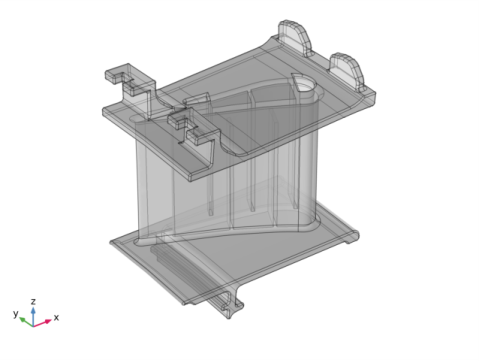
Browse to the model’s Application Libraries folder and double-click the file turbine_stator.mphbin.
|
|
5
|
Click Import.
|
|
6
|
|
7
|
|
8
|
|
1
|
|
2
|
|
3
|
|
4
|
|
5
|
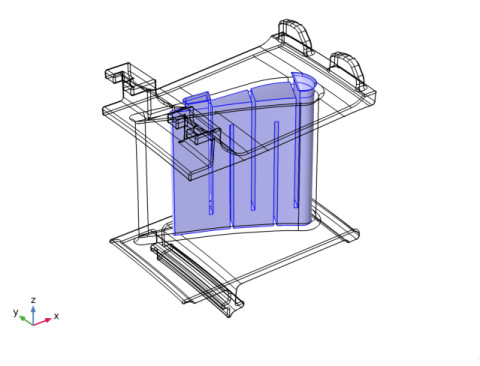
In the Paste Selection dialog box, type 222-225, 236, 261-266, 270-271, 278-279, 283-285, 292-305, 308-311, 313-314, 316, 321 in the Selection text field.
|
|
6
|
Click OK.
|
|
7
|
|
8
|
|
1
|
|
2
|
|
3
|
|
4
|
|
5
|
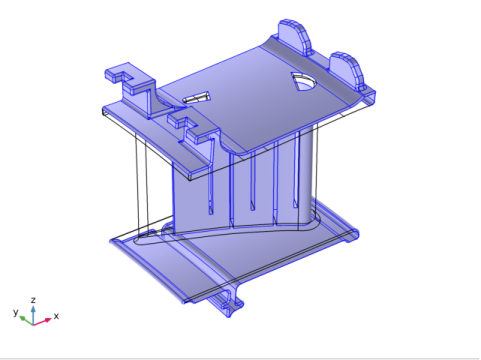
In the Paste Selection dialog box, type 3-4, 9, 12, 14, 16, 19-20, 22-24, 28-96, 98-117, 122-135, 138-162, 166-221, 223, 226-231, 239-260, 267-269, 272-277, 280-282, 322-444 in the Selection text field.
|
|
6
|
Click OK.
|
|
1
|
|
2
|
|
3
|
In the tree, select Material Library>Iron Alloys>JETHETE M-152 or Moly Ascoloy>JETHETE M-152 or Moly Ascoloy [solid].
|
|
4
|
|
5
|
|
1
|
|
1
|
|
2
|
|
3
|
|
1
|
In the Model Builder window, under Component 1 (comp1)>Multiphysics click Thermal Expansion 1 (te1).
|
|
2
|
|
3
|
|
1
|
|
2
|
|
3
|
Find the Expression for remaining selection subsection. In the Volume reference temperature text field, type 300[K].
|
|
1
|
In the Model Builder window, under Component 1 (comp1)>Heat Transfer in Solids (ht) click Initial Values 1.
|
|
2
|
|
3
|
|
1
|
|
2
|
|
3
|
|
4
|
|
5
|
|
6
|
|
1
|
|
2
|
|
3
|
|
4
|
|
5
|
|
6
|
|
1
|
|
3
|
|
4
|
|
5
|
|
6
|
|
7
|
|
8
|
|
9
|
|
10
|
|
1
|
|
3
|
|
4
|
|
5
|
|
6
|
|
7
|
|
8
|
|
9
|
|
10
|
|
1
|
|
3
|
|
4
|
|
5
|
|
6
|
|
7
|
|
8
|
|
9
|
|
10
|
|
1
|
|
1
|
|
3
|
|
4
|
From the list, choose Diagonal.
|
|
5
|
|
1
|
|
3
|
|
4
|
From the list, choose Diagonal.
|
|
5
|
|
1
|
|
3
|
|
4
|
From the list, choose Diagonal.
|
|
5
|
|
1
|
|
2
|
|
3
|
|
1
|
|
2
|
|
3
|
|
4
|
|
5
|
|
1
|
|
2
|
|
1
|
|
2
|
|
1
|
|
2
|
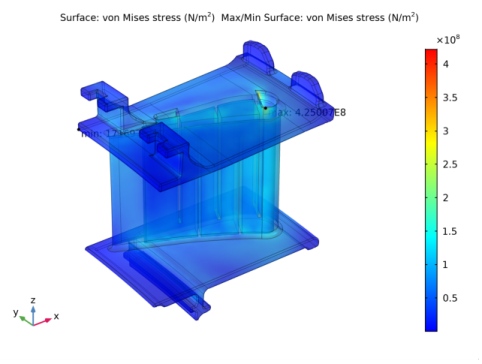
In the Settings window for Max/Min Surface, click Replace Expression in the upper-right corner of the Expression section. From the menu, choose Component 1>Solid Mechanics>Stress>solid.mises - von Mises stress - N/m².
|
|
3
|
|
1
|
Go to the Table window.
|
|
2
|
|
3
|
|
1
|
|
2
|
|
3
|
|
4
|
|
5
|
|
1
|
|
2
|
|
3
|
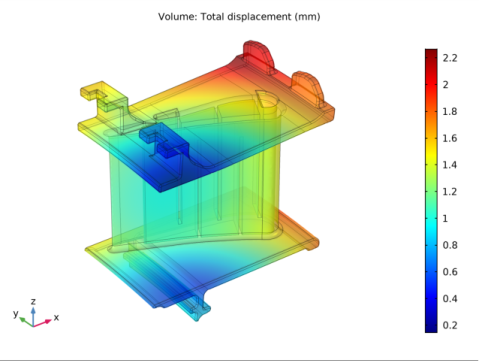
In the Settings window for Volume, click Replace Expression in the upper-right corner of the Expression section. From the menu, choose Component 1>Solid Mechanics>Displacement>solid.disp - Total displacement - m.
|
|
4
|
|
5
|
|
6
|