Definitions
Variables 1
1
In the Model Builder window, select the Component 1 >Definitions node
.
2
Right-click Definitions
and choose Variables
, to define the target field in the cladding and in the right waveguide core.
3
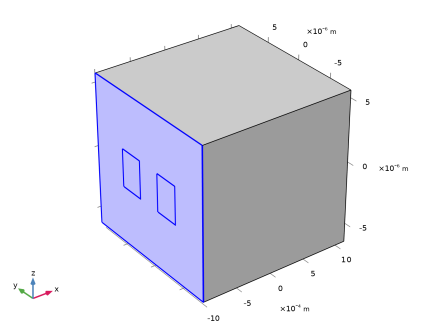
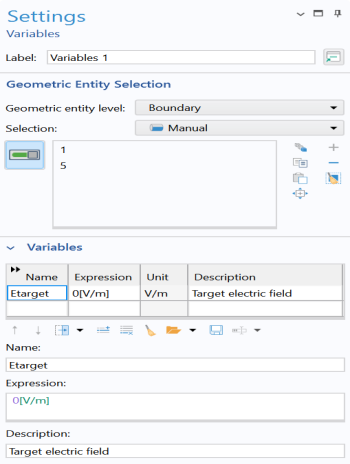
In the Settings window for Variables, locate the Geometric Entity Selection section. From the Geometric entity level list, choose Boundary. Select Boundaries 1 and 5 only.
4
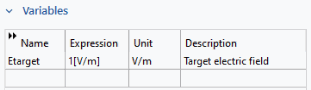
Locate the Variables section. In the table, enter the following settings:
Now, define the target field in the left waveguide core.
Variables 2
1
Right-click Variables 1
and choose Duplicate
.
2
In the Settings window for Variables, locate the Geometric Entity Selection section.
3
Click Clear Selection
.
4
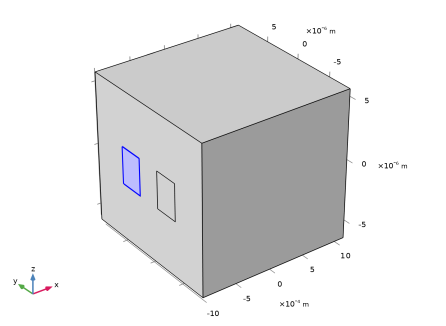
Select Boundary 10 only.
5
Locate the Variables section. In the table, enter the following settings:
Integration 1
1
In the Definitions toolbar, click Nonlocal Couplings
and choose Integration
, to define the integration operator that will be used for computing overlap integrals between the target field and the mode fields.
2
In the Settings window for Integration, locate the Source Selection section.
3
From the Geometric entity level list, choose Boundary.
4
Select Boundaries 1, 5, and 10.
 .
. and choose Variables
  , to define the target field in the cladding and in the right waveguide core.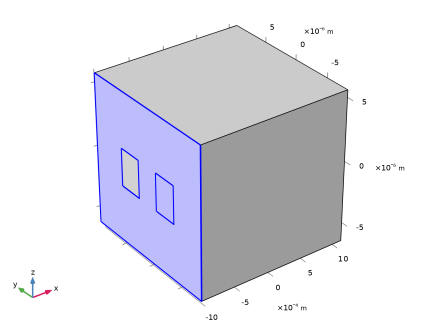
 and choose Duplicate
  .
. .
.
 and choose Integration
  , to define the integration operator that will be used for computing overlap integrals between the target field and the mode fields.