|
1
|
|
3
|
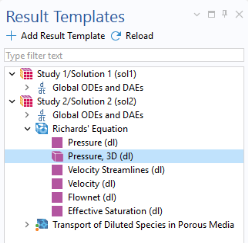
In the Model Builder, under Results click Pressure, 3D. In the Settings window for the 3D Plot Group type Pressure Head, 3D (dl)in the Label text field.
|
|
7
|
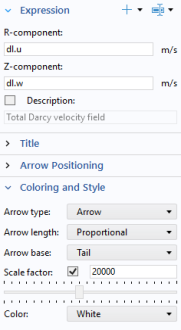
In the Settings window, verify that dl.u and dl.w are the expressions in the R- and Z- component text fields.
|
|
3
|
In the Model Builder under Results click on the Concentration, a (tds) node. In the Settings window, type Concentration comparison in the Label text field.
|
|
11
|
In the Settings window of Surface 2 locate the Expression section and type c_asx in the Expression test field.
|
|
13
|
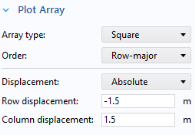
From the Displacement list choose Absolute. In the Row displacement field type -1.5[m], and in the Column displacement field, type 1.5[m]. The negative value ensures that the earliest time step is plotted on the top of the plot group.
|
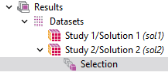
 expand the Data Sets
  node.
node. , and select Selection
  .
.
 .
.
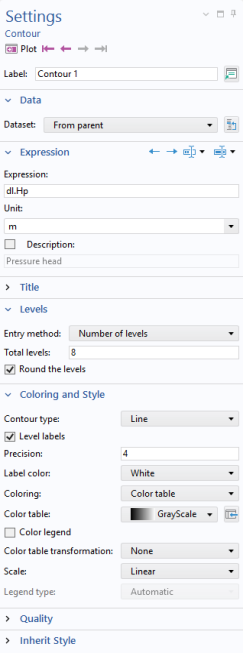
 . In the Settings window locate the Expression section and click Replace Expression
  . Choose Component 1>Richard’s Equation > Velocity and pressure > dl.Hp - Pressure head -m.
 .
.
 . This subnode allows to plot several results in one plot group.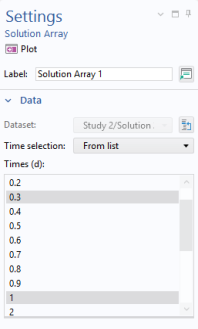
 .
.
 .
. and Zoom extents
  . Compare the plot in the Graphics window with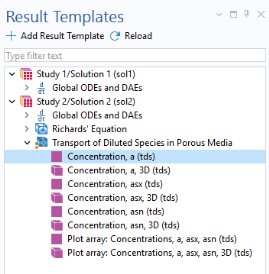
 to close the Result Templates window.
 )node and choose Disable
  .
. .
.
 button. Click the Zoom extents
  button in the Graphics window.
 , you can generate animations in GIF, Flash, and AVI format.
  in the Results toolbar and select Player
  .
.