|
1
|
|
2
|
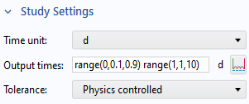
Go to the Study Settings section and select d (days) from the Time unit list.
|
|
3
|
 node and click Step 1: Time Dependent
  .
.
 in the Solve for column indicates which physics interface will be solved in Study 2. The ODEs have already been solved in Study 1.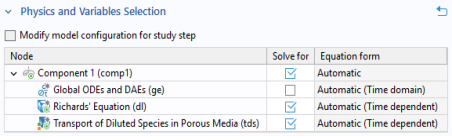
 to disable the automatic generation of default plots. Instead, choose the relevant plots from the Result Templates after computation.In the Home toolbar click Compute
  . You can also right-click Study 2
  in the Model Builder, and select Compute
  .
.