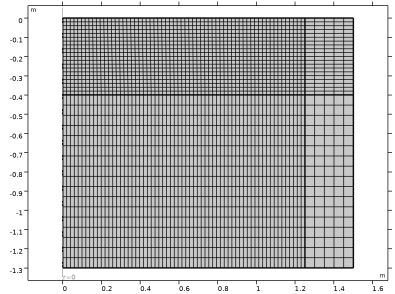
Mesh
Using a Mapped mesh is a good idea for this geometry. It uses less mesh elements while keeping the accuracy compared to using a triangular mesh with the same mesh size.
1
In the Model Builder click Mesh 1
. In the Settings window, locate the Physics-Controlled Mesh section. From the Element Size list, choose Finer.
2
In the Mesh toolbar, click Mapped
.
3
Right-click Mapped 1
and select Size
.
4
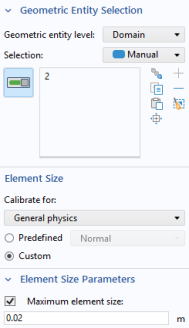
In the Settings window for Size, locate the Geometric Entity Selection section. From the Geometric entity level list, select Domain and choose Domain 2 only.
In Domain 2, the meshing should be finer to accurately resolve the transport of pesticides. All other domains will be meshed with the setting from the top Size node.
5
In the Element Size section click the Custom button.
6
Locate the Element Size Parameters section. Select the Maximum element size checkbox.
7
In the associated text field, type
0.02
.
8
Click Build All
.
 . In the Settings window, locate the Physics-Controlled Mesh section. From the Element Size list, choose Finer.
 .
.  and select Size
  .
.
 .
.