|
1
|
|
2
|
In the Settings window for Porous Material, type Porous Material: Lower Layer in the Label text field.
|
|
4
|
Go to the Fluid 1
 subnode. Locate the Material contents section and in the table enter rhof for the Density. subnode. Locate the Material contents section and in the table enter rhof for the Density.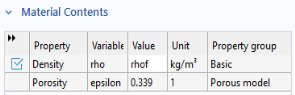 |
|
5
|
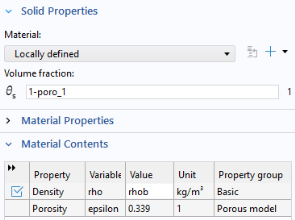
Click on the Solid 1
 subnode and locate the Solid Properties section. Enter 1-poro_1 in the Volume fraction text field. subnode and locate the Solid Properties section. Enter 1-poro_1 in the Volume fraction text field. |
|
6
|
|
2
|
In the Settings window for Porous Material, type Porous Material: Upper Layer in the Label text field.
|
|
5
|
 and choose More Materials > Porous Material
  .
. button.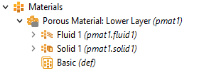
 .
. .
.