Parameters and Variables
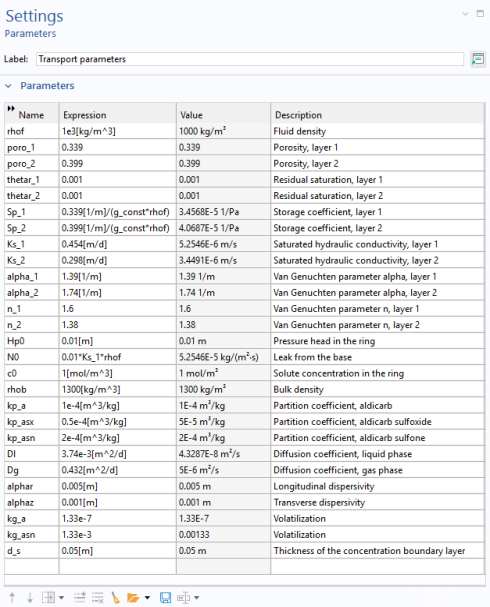
Import a set of global parameters defining the material parameters for Richards’ Equation and Solute Transport, including the fluid density, viscosity, porosity, storage coefficients, hydraulic conductivity, dispersivity, and so forth.
Then, import a set of variables specifying the rate expressions given by
Equation 2
through
Equation 7
.
Parameters
1
In the Model Builder right-click on Global Definitions
and select Parameters
.
This adds a new Parameters 2 node. Alternatively, all parameters can also be stored in one single list. Using multiple parameter lists is beneficial for clarity especially if you rename the parameter lists. To do so, go the Settings window for the Parameters 2 node and type
Transport parameters
in the Label text field at the top. Rename the Parameters 1 node to
Rate constants
.
2
In the Settings window for Transport Parameters click the Load from File
button.
3
Browse to the file
pesticide_transport_parameters_2.txt
in the Application Libraries folder on your computer, Subsurface_Flow_Module\Solute_Transport. Double-click to add or click Open.
The parameters are added to the table.