Mesh 1
1
In the Model Builder Window, click Mesh 1.
2
In the settings window for Mesh, locate the Physics-Controlled Mesh section. From the Element size list, choose Finer.
3
Locate the Sequence Type section, and select User-controlled mesh from the list.
4
Under Mesh 1, click Size.
5
Locate the Element Size Parameters section. Select the Maximum Element Size checkbox, and type 6[mm] in the associated text field.
6
Click Build All
. The mesh should now look like in the figure below.
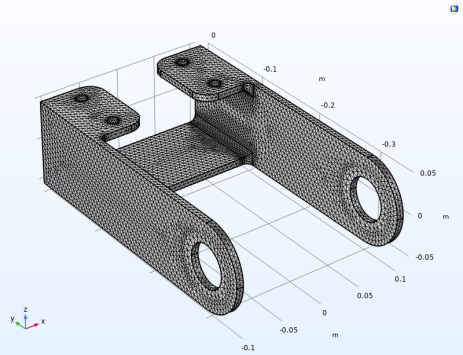
 . The mesh should now look like in the figure below.