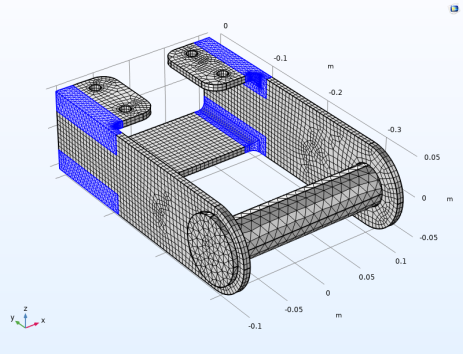
Mesh
The current mesh sequence ends with a node that creates a rather fine free tetrahedral mesh on the remaining (not yet meshed) domains. This would now include also the pin. In order to avoid getting a large number of unnecessary degrees of freedom in the pin, modify the mesh sequence.
1
In the Model Builder, expand the Component 1 (comp1) > Mesh 1 node. Then expand the Free Tetrahedral 1 node.
2
Click the Size 1 node.
3
In the Settings window for Size, locate the Geometric Entity Selection section.
4
From the Geometric entity level list, choose Domain.
5
Select Domains 5, 6, 10, and 11.
6
Click Build All
.
 .
.