Geometry
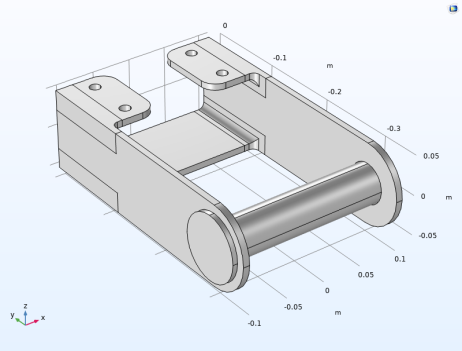
Next, the pin geometry is added to the bracket assembly. This is done by importing it into the existing geometry.
Note: The location of the files used in this exercise varies based on your installation. For example, if the installation is on your hard drive, the file path might be similar to C:\Program Files\COMSOL\COMSOL64\Multiphysics\applications\Structural_Mechanics_Module\Tutorials.
Import
1
2
3
Click Browse . and go to the model folder Structural_Mechanics_Module\Tutorials and double-click the file bracket_pin.mphbin.
4
Form Union (fin)
1
2
3
4
The effect of this operation is that the bracket and pin are now independent objects. The adjacent boundaries are not shared.
Since the pins will be bonded to the bracket, it would have been possible to use either an assembly or a union. The advantage of using an assembly in this case is that it is not necessary to have a matching mesh on the two parts.