|
1
|
|
3
|
|
6
|
In the Settings window for 1D Plot Group, type Force in Bolt 1 in the Label text field.
|
|
2
|
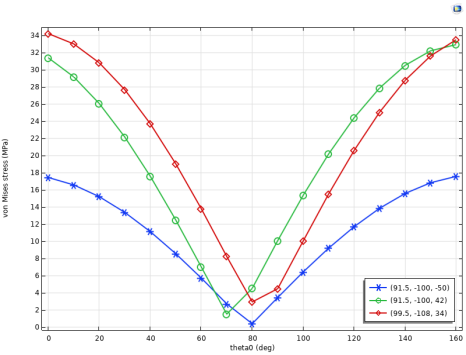
In the Settings window for 1D Plot Group, type Stress as Function of Load Angle in the Label text field.
|
|
7
|
|
12
|
In the Legend text field, type (eval(X,mm), eval(Y,mm), eval(Z,mm)).
|
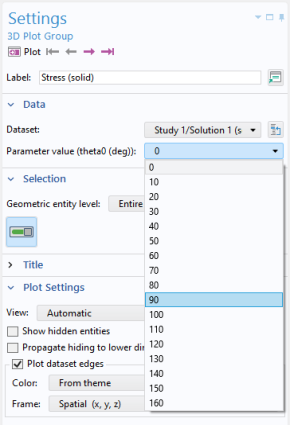
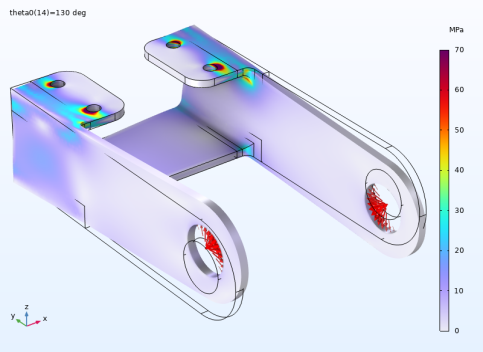
 to plot the first solution at load angle 0.
 .
.
 .
.
 .
. in the upper-right corner of the Expressions section. From the menu, choose Component 1 (comp1) > Solid Mechanics > Reactions > Reaction force (spatial frame) - N > All expressions in this group.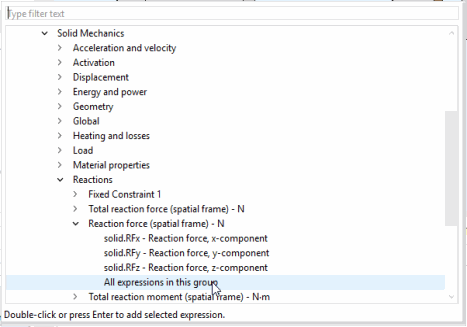


 .
. and choose 1D Plot Group
  .
. .
. .
. .
.