|
1
|
|
2
|
|
2
|
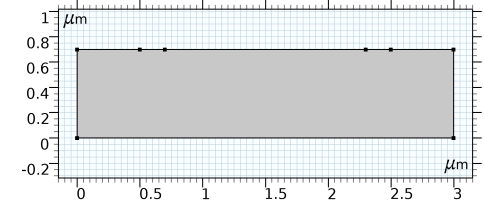
In the Settings window for Rectangle, locate the “Size and Shape” section. In the Width text field, type 3. In the Height text field, type 0.7.
|
|
-
|
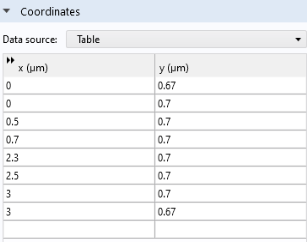
In the x text field, type 0 0 0.5 0.7 2.3 2.5 3 3.
|
|
-
|
 .
. and choose Rectangle
  .
. , hover over “More Primitives” to open the submenu and choose Polygon
  .
.
 and choose Mesh Control Edges
  .
.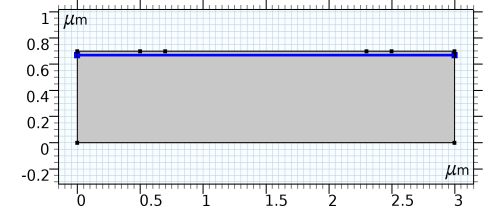
 to build the entire geometry. Use the Zoom Extents button
  at the top of the Graphics window to zoom to the full geometry if desired. Notice that the interior line is not shown in the finalized geometry, because it is defined as a Mesh Control Edge in the previous step and will only appear when we set up the mesh later.