Mesh
The default physics-controlled mesh settings can be used in this simulation.
1
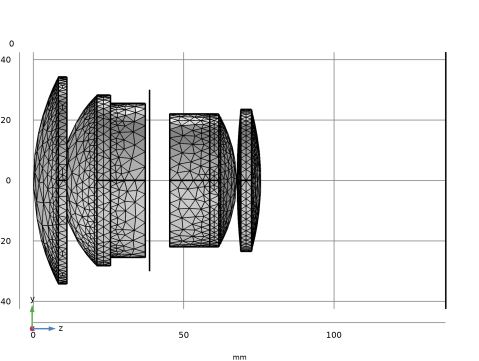
The default Physics-controlled mesh for the double Gauss lens.
The mesh vertices might be in slightly different positions depending on the version of the COMSOL software, the architecture being used to run it, and the choice of geometry kernel. However, the mesh elements in the default mesh should be approximately as large as those in the above image.
The aperture stop and image plane are also meshed, despite being 2D surfaces that are not connected to any domain. They are harder to see while the geometry is oriented in the zy-plane with orthographic projection. By momentarily disabling orthographic projection, or just left-clicking in the graphics window to rotate the geometry, you can see the mesh more clearly.
The default behavior of the Geometrical Optics interface is to mesh any domains that are included in the physics interface selection, any boundaries adjacent to these domains, and any other surfaces where a boundary condition or ray release feature has been applied.