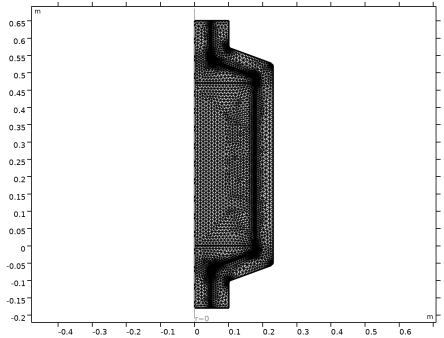
Mesh 1
The default physics-controlled mesh automatically takes into account that there are steep gradients for the velocity close to the walls. Use a fine mesh size to also resolve the thermal effects well.
1
In the Model Builder window under Component 1 (comp1) click Mesh
1
.
2
In the Settings window for Mesh locate the Physics-Controlled Mesh section, and from the Element size list choose Fine.
3
Click Build All
, to see the automatically generated mesh.
The figure below shows the boundary layer mesh at the walls. Zoom in to the mesh using the zoom function in the Graphics toolbar
to confirm that it matches the figure.
 .
. , to see the automatically generated mesh.
 to confirm that it matches the figure.