Free and Porous Media Flow, Brinkman
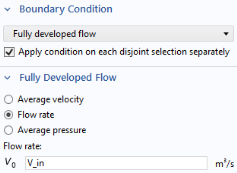
In the Model Builder window, under Component 1 click Free and Porous Media Flow, Brinkman .
Inlet 1
1
2
3
4
5
Create a selection from this boundary. Selections can be used throughout the modeling process and they simplify the assignment of conditions to geometric entities. They are also beneficial for a clear overview.
6
7
In the Create Selection dialog, type Inlet in the Selection name text field and click OK.
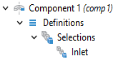
This way you have created a selection for the inlet boundary as it will be used again during the model setup. The selections appear under the Component 1 > Definitions > Selections node.
Outlet
1
2
3
4
In the Create Selection dialog, type Outlet in the Selection name text field and Click OK. Again, this selection for the outlet boundary will be used later in the model setup.
The Free and Porous Media Flow, Brinkman interface is now completely set up. Continue with adding the boundary conditions for the Heat Transfer in Solids and Fluids interface.