Free and Porous Media Flow, Brinkman
1
In the Model Builder window, under Component 1 click Free and Porous Media Flow, Brinkman
.
2
Select Domains 1–3 only. Only in these domains flow will occur.
Porous Medium 1
1
In the Physics toolbar, click Domains
and choose Porous Medium
.
2
Select Domain 2 only.
According to
Equation 2
, Ergun’s equation gives the best description of the flow behavior in the bed.
3
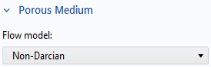
In the Settings window for Porous Medium, locate the Porous Medium section.
4
From the Flow model list, choose Non-Darcian.
Porous Matrix 1
1
In the Model Builder click Porous Matrix 1.
2
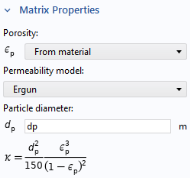
In the Settings window for Porous Matrix, locate the Matrix Properties section.
3
From the Permeability model list, choose Ergun.
4
In the d
p
text field, type
dp
.
 .
. and choose Porous Medium
  .
.