Study 1
Step 1: Time Dependent
1
In the Model Builder window, expand the Study 1 > Step 1: Time Dependent node, then click Step 1: Time Dependent.
2
In the Settings window for Time Dependent, locate the Study Settings section. In the Output times text field, type range
(0,5,300)
.
3
From the Tolerance list, choose User controlled.
4
In the Relative tolerance text field, type
0.005
.
5
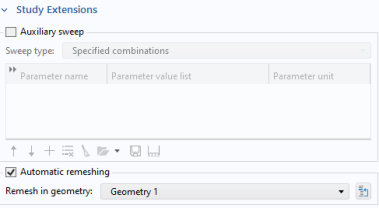
Click to expand the Study Extensions section. Select the Automatic remeshing checkbox.
Before solving the problem, prepare a plot of the velocity. The plot will be shown and updated during the computations. In the Study toolbar, click
Get Initial Value. Default plots for the velocity and pressure are generated automatically.
 Get Initial Value. Default plots for the velocity and pressure are generated automatically.