Moving Mesh
Symmetry/Roller 1
1
In the Moving Mesh toolbar choose Symmetry/Roller.
2
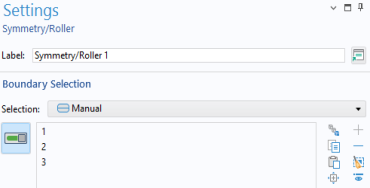
In the Settings window for Symmetry/Roller, locate the Boundary Selection section.
3
Select Boundaries 1, 2, and 3 on (top, bottom, and symmetry boundaries).