|
3
|
Click
 Add Material from Library . This button is found when expanding the options next to the Material list. Add Material from Library . This button is found when expanding the options next to the Material list.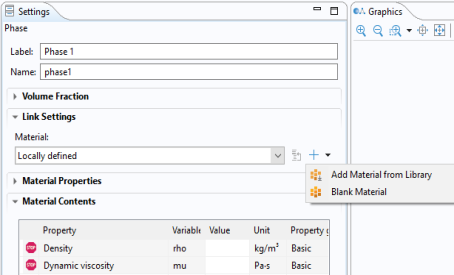 |
|
1
|
In the Model Builder window, under Component 1 (comp1) > Materials > Multiphase Material 1 (mpmat1) click Phase 1 (mpmat1.phase1).
|
|
2
|
|
3
|
Click
Add Material from Library . This button is found when expanding the options next to the Material list. |
|
5
|
|
6
|
|
1
|
In the Model Builder window, under Component 1 (comp1) > Materials > Multiphase Material 1 (mpmat1) click Phase 2 (mpmat1.phase2).
|
|
2
|
|
3
|
