The Polymer Flow Module
Non-Newtonian fluids are found in a great variety of processes in the polymer, food, pharmaceutical, cosmetics, household, and fine chemicals industries. Examples of these fluids are coatings, paints, yogurt, ketchup, colloidal suspensions, aqueous suspensions of drugs, lotions, creams, shampoo, suspensions of peptides, and proteins, to mention a few. The Polymer Flow Module is an optional add-on package for COMSOL Multiphysics® that is designed to aid engineers and scientists in simulating flows of non-Newtonian fluids with viscoelastic, thixotropic, shear-thickening, or shear-thinning properties. Simulations can be used to gain physical insight into the behavior of complex fluids, reduce prototyping costs, and speed up development. The Polymer Flow Module allows users to quickly and accurately model single-phase flows, multiphase flows, nonisothermal flows, and reacting flows of Newtonian and non-Newtonian fluids.
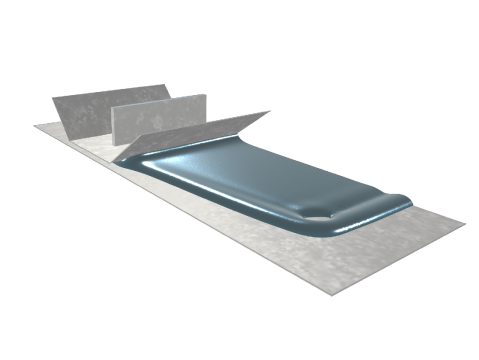
Figure 1: Coating flow simulation with a power-law fluid. The thickness of the coating layer can be controlled by varying the speed of the lower wall relative to that of the injection slot. Span-wise thickness variations and edge effects may be minimized by optimizing the polymer composition in the coating fluid.
The Polymer Flow Module can solve stationary and time-dependent flows in two-dimensional and three-dimensional domains. Formulations suitable for different types of flow are set up as predefined Fluid Flow interfaces, referred to as physics interfaces. These Fluid Flow interfaces use physical quantities, such as velocity and pressure, and physical properties, such as density and viscosity, to define a fluid flow problem. There are different physics interfaces available for a wide range of flows. For instance, there are the Laminar Flow, Creeping Flow, Viscoelastic Flow, Brinkman Equations, Darcy’s Flow, Heat Transfer, and Transport of Diluted Species interfaces. The physics interfaces can be combined with the interfaces in the Mathematics branch (Level Set, Phase Field in Fluids and Ternary Phase Field), or defined on arbitrary Lagrangian-Eulerian (ALE) frame to simulate two- and three-phase flows, and rotating flows. The Polymer Flow Module includes a set of predefined multiphysics couplings for facilitating the setup of multiphysics simulations: Nonisothermal Flow; Reacting Flow; Two-Phase Flow, Level Set; Two-Phase Flow, Phase Field; Three-Phase Flow, Phase Field; Brinkman Equations, Level Set; and Rotating Machinery, Fluid Flow.
For each of the physics interfaces, the underlying physical principles are expressed in the form of partial differential equations, together with corresponding initial conditions and boundary conditions. The COMSOL Multiphysics software was designed to emphasize the physics by providing users with the equations solved by each feature and offering the user full access to the underlying equation system. There is also tremendous flexibility in adding user-defined equations and expressions to the system. For example, to model the curing state during a mold injection, a Stabilized Convection Diffusion Equation interface can be added from the Mathematics branch — no scripting or coding is required. When COMSOL Multiphysics compiles the equations, the complex couplings generated by these user-defined expressions are automatically included in the equation system. The equations are then solved using the finite element method and a range of industrial-strength solvers. Once a solution is obtained, a vast range of postprocessing tools are available for analyzing the data, and predefined plots are automatically generated for visualizing the results. COMSOL Multiphysics offers the flexibility to evaluate a wide range of physical quantities, including predefined quantities such as the pressure, velocity, shear rate, or the vorticity (available through easy-to-use menus), as well as arbitrary user-defined expressions.
To set up a fluid flow simulation, the geometry is first defined in the software. Then appropriate materials are selected and suitable physics interfaces, together with the appropriate multiphysics couplings, are added. Initial conditions and boundary conditions are set up within the physics interfaces. Next, the mesh is defined — in many cases the default mesh, which is produced from physics-dependent defaults, will be appropriate for the problem. A solver is selected, again with defaults appropriate for the relevant physics interfaces, and the problem is solved. Finally, the results are visualized. All of the features needed for these steps can be accessed from within the COMSOL Desktop.