Materials
Now assign material properties to the air, coil, and dielectric domains.
1
In the Model Builder window, under Component 1 right-click Materials and choose Blank Material
.
2
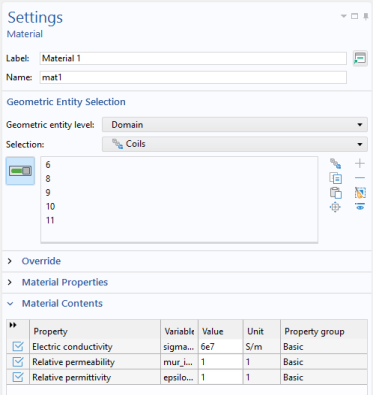
In the Material settings window, locate the Geometric Entity Selection section.
3
From the Selection list, choose
Coils
.
4
Locate the Material Contents section. In the table, enter the following settings:
5
In the Model Builder window, under Component 1 right-click Materials and choose Blank Material
.
6
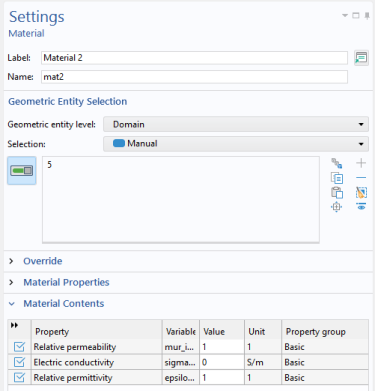
In the Material settings window, locate the Geometric Entity Selection section. Select Domain 5 only. In the table, enter the following settings:
7
8
In the Model Builder window, under Component 1 right-click Materials and choose Blank Material
.
9
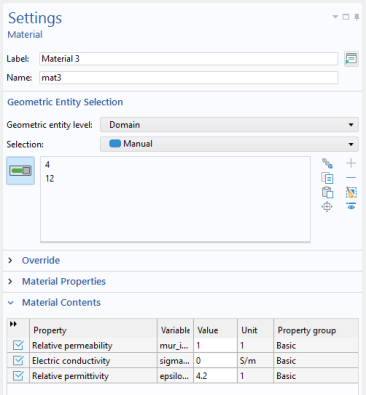
In the Material settings window, locate the Geometric Entity Selection section. Select Domains 4 and 12 only. In the table, enter the following settings:
 .
. .
. .
.