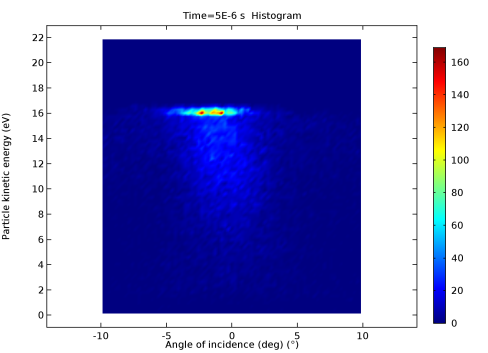
and 3D
  . It is created automatically when a Study solving for a particle tracing interface is computed. There are options to set the particle trajectories to be rendered as lines, tubes, or ribbons. It is also possible to render the particles as points, comet tails, arrows, or with a number of ellipses along each trajectory. For models where the number of output times is small, an interpolation option is available that will create smoother looking particle trajectory plots.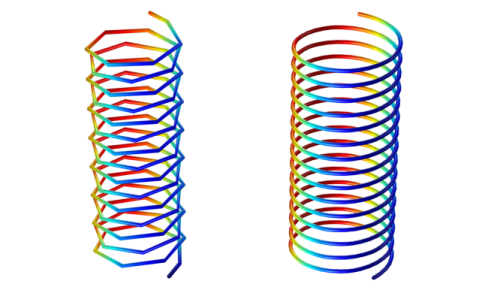
 can be used to observe the value of a particle property over time. Built-in data series operations can be used, for example, to compute the sum or maximum of an expression over all particles.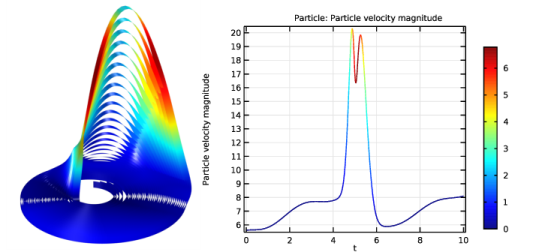
 and 3D
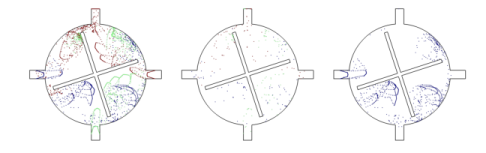
  . This plot type is useful to visualize the particle trajectories in a plot that represents the position of the particles in a section that is usually transversal to the particle trajectories. The Poincaré map represents the particle trajectories in a space dimension that is one dimension lower than the original particle space.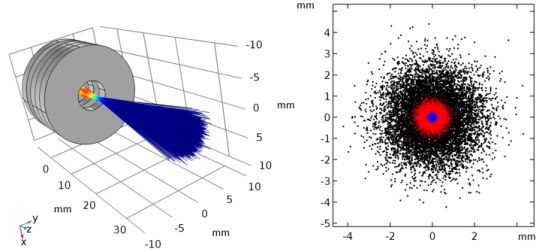
 are available as a 2D plot type under More Surface Plots. Use a Phase Portrait plot to visualize large datasets of particle trajectories. The traditional use of a phase portrait is to plot the particle position on the
  option under Derived Values. Once the data has been written to the results table it can be manipulated and plotted accordingly. There are options to only write data to the table for a fraction or a specific number of particles.
 , Average
  , Maximum
  , and Minimum
  to be a Particle
  dataset. This allows operations to be performed on the particle dataset, to compute average particle velocity, maximum energy, and so on.