Adding an Optimization Interface
Add an Optimization interface when creating a new model or at any time during modeling. For a new model, physics interfaces are selected in the Model Wizard (after specifying the space dimension) or from the Add Physics window. In any active session, you can also right-click a Component node in the Model Builder to open the Add Physics window.
To add an Optimization interface to a Component using the Model Wizard, see Creating a New Model in the COMSOL Multiphysics Reference Manual.
To add an Optimization interface to a Component using the Add Physics window:
1
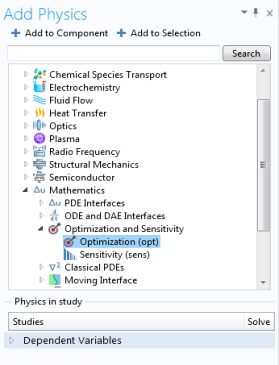
Under Mathematics > Optimization and Sensitivity, select Optimization ().
2
Click Add to Component. Optimization is added under the chosen Component in the Model Builder.