|
2
|
Click Add
 twice and change the table to sweep the meshsz and beta parameters from 3[cm] to 6[cm] and 1 to 8, respectively. twice and change the table to sweep the meshsz and beta parameters from 3[cm] to 6[cm] and 1 to 8, respectively.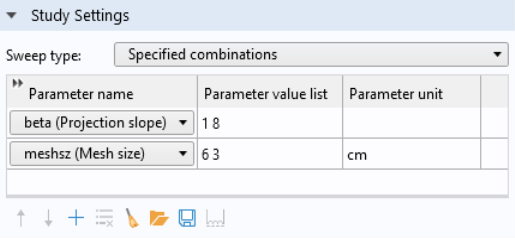 |
|
2
|
Click Add
twice and change the table to sweep the meshsz and beta parameters from 3[cm] to 6[cm] and 1 to 8, respectively. |
 .
.