|
|
|
|
12.41 Ω/m
|
|
0 Ω/m
|
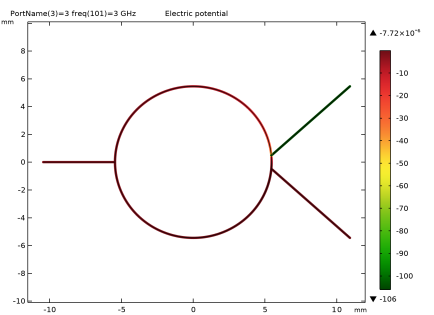

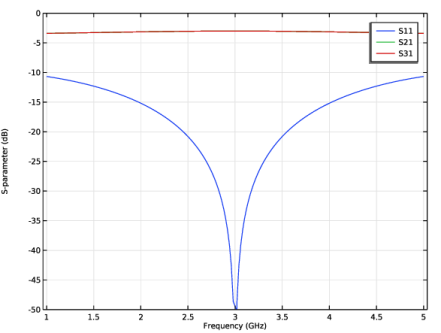
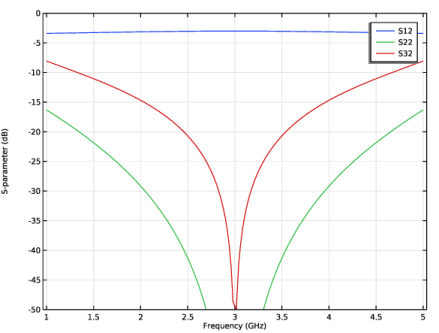
|
1
|
|
2
|
|
3
|
Click Add.
|
|
4
|
Click
 Study. Study. |
|
5
|
|
6
|
Click
 Done. Done. |
|
1
|
|
2
|
|
50 Ω
|
|||
|
70.711 Ω
|
|||
|
1
|
|
2
|
|
3
|
|
1
|
|
2
|
|
3
|
|
4
|
|
5
|
|
6
|
|
1
|
|
2
|
|
3
|
|
4
|
|
5
|
|
6
|
|
7
|
Click
 Build Selected. Build Selected. |
|
8
|
|
1
|
|
2
|
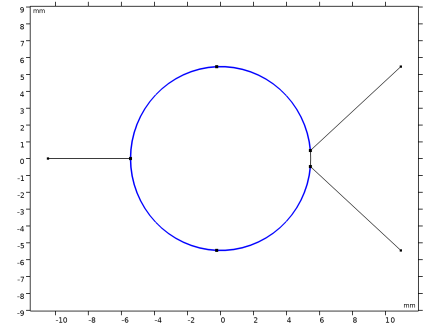
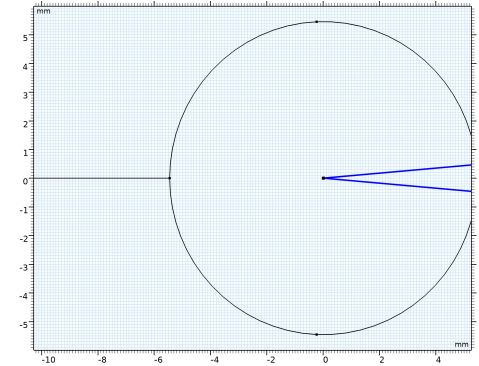
On the object c1, select Boundaries 5 and 6 only.
|
|
1
|
|
2
|
|
3
|
|
4
|
|
5
|
|
1
|
|
2
|
|
3
|
|
4
|
|
5
|
|
6
|
|
7
|
|
8
|
|
1
|
|
2
|
|
3
|
|
4
|
|
5
|
|
6
|
|
7
|
|
8
|
|
9
|
Click
 Build All Objects. Build All Objects. |
|
10
|
|
1
|
|
1
|
|
1
|
|
1
|
|
2
|
In the Settings window for Transmission Line Equation, locate the Transmission Line Parameters section.
|
|
3
|
|
4
|
|
1
|
|
3
|
In the Settings window for Transmission Line Equation, locate the Transmission Line Parameters section.
|
|
4
|
|
5
|
|
1
|
|
3
|
|
4
|
In the Settings window for Transmission Line Equation, locate the Transmission Line Parameters section.
|
|
5
|
|
6
|
|
7
|
|
8
|
|
9
|
|
10
|
Select the Use manual port sweep checkbox.
|
|
11
|
Click Configure Sweep Settings. By clicking the Configure Sweep Settings button, all necessary port sweep settings such as sweep parameter and parametric study step will be automatically added. It is necessary to run the parametric sweep with port names to get a full S-parameter matrix.
|
|
1
|
|
2
|
|
3
|
|
4
|
|
1
|
|
2
|
|
1
|
|
2
|
|
3
|
|
4
|
|
5
|
|
1
|
|
2
|
|
3
|
|
4
|
|
1
|
|
2
|
|
3
|
|
4
|
|
5
|
|
6
|
|
7
|
|
8
|
|
9
|
|
1
|
|
2
|
|
3
|
|
4
|