PDF

SAR of a Human Head Next to a Wi-Fi Antenna
Introduction
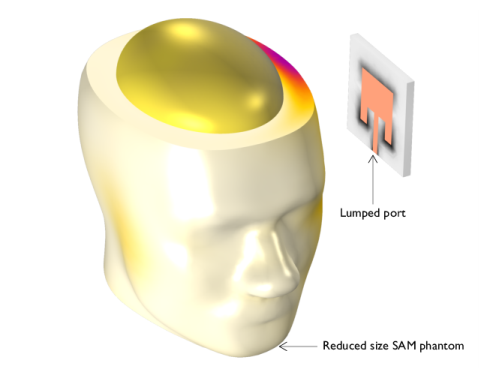
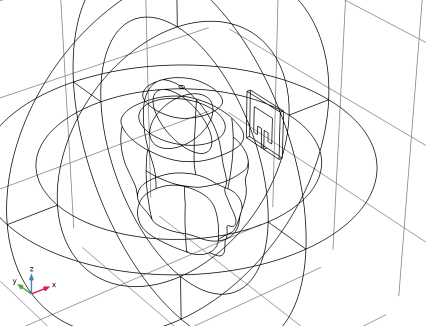
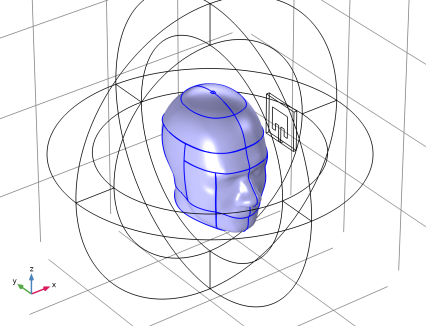
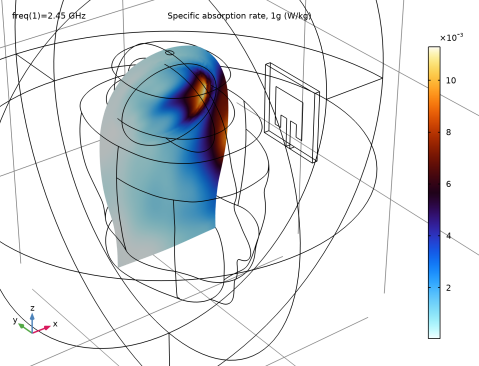
Users of consumer electronics with radiating devices are exposed to radio frequency (RF) emissions, quantified as the specific absorption rate (SAR). Essentially, the SAR value denotes the rate at which RF energy is absorbed by the body. This model calculates local SAR values across a simplified mock-up of the human head and brain when a microstrip patch antenna operating within the Wi-Fi frequency range is positioned near the head. Additionally, the SAR for a 1g mass is computed.
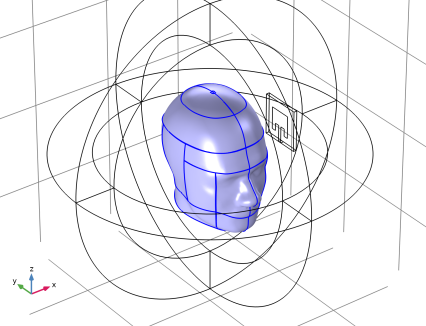
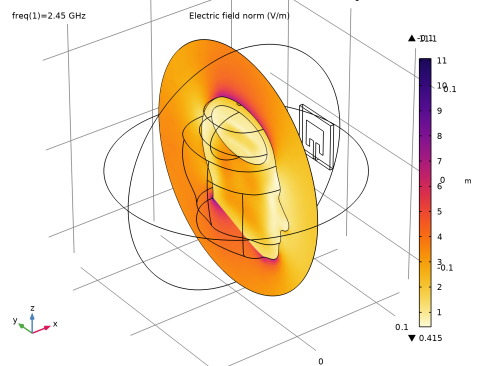
Figure 1: Human head phantom next to a microstrip patch antenna resonant around the Wi-Fi frequency range. The surrounding air domain and perfectly matched layer are removed from the figure for visualization purposes.
Model Definition
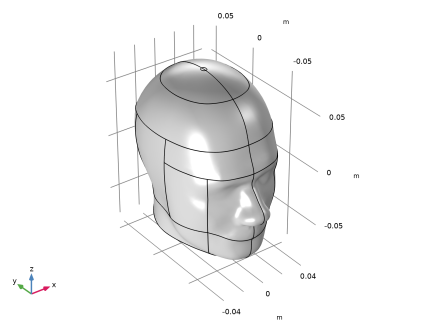
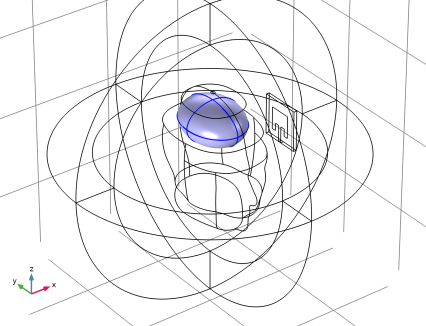
The human head geometry is the same as the specific anthropomorphic mannequin (SAM) phantom provided by IEEE, IEC, and CENELEC from their standard specification of SAR value measurements. The geometry is imported into COMSOL Multiphysics after minor adjustments and scaling down to 60% of the original geometry to reduce the problem size. The shape of brain is simplified using an ellipsoid geometry. This model takes material properties for the human brain from a presentation by Ref. 1. The following table shows some important properties from this publication at 2.45 GHz.
σ
εr
Other parts of the human head is characterized using the properties of cortical bone tissue (Ref. 2), as displayed below.
σ
εr
This example is an introductory model showing how to analyze SAR. It is assumed here that all materials are homogeneous, which is an oversimplification. For more realistic brain material characterization, see another application library example, Specific Absorption Rate (SAR) in the Human Brain in which material parameters based on the imported MRI image data with a volumetric interpolation function characterize the variation of tissue type inside the head.
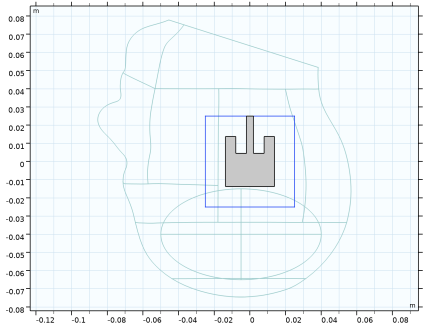
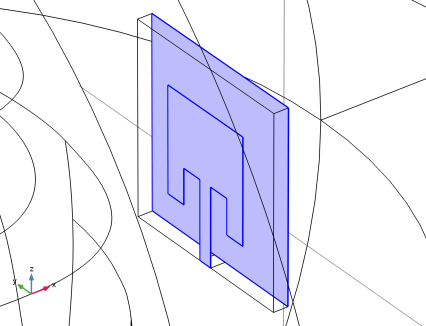
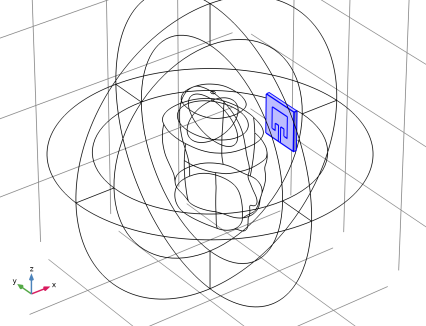
The microstrip patch antenna next to the human head is composed of a thin layer of metal, a rectangular FR4 dielectric block, and a ground plane. The microstrip feed line, antenna radiator and ground plane are modeled as perfect electric conductor (PEC) surfaces. The antenna is fed by a 50 Ω lumped port, representing a feed from the power source.
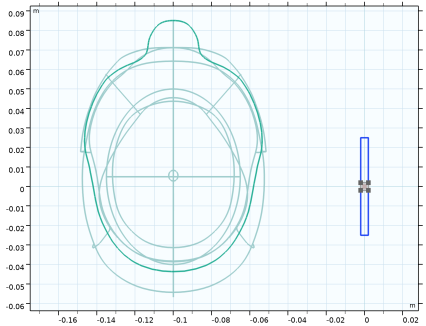
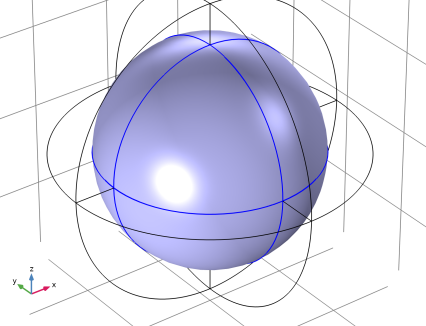
The human head phantom and antenna are enclosed by a spherical air domain which is truncated by perfectly matched layers. This mimics the antenna testing in infinite free space. The perfectly matched layers work like an anechoic chamber in reality preventing unwanted reflection from the outer walls.
Results and Discussion
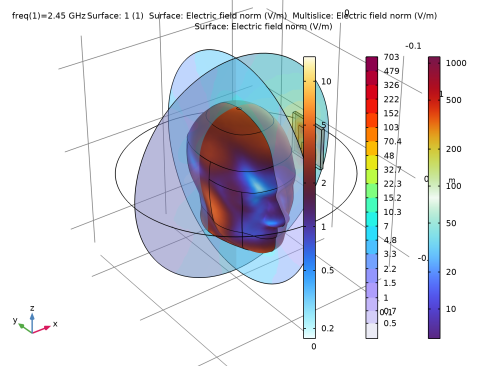
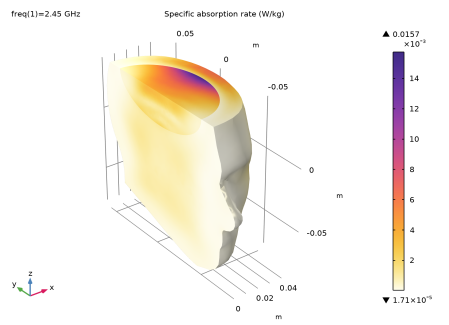
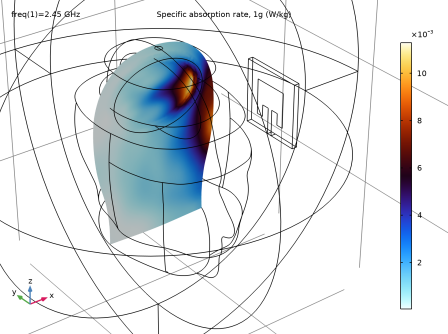
The model simulates the local SAR values in the head under effect of the RF emission caused by a microstrip patch antenna resonant in the Wi-Fi frequency range. The highest SAR value is observed in the mock-up brain area close to the surface of the head facing the incident electric field. In industrial applications, SAR values for 1g or 10g of mass are of interest. Figure 3 displays a slice plot of the predefined postprocessing variable, SAR1g.
Figure 2: The computed local SAR values are visualized for a part of the head using a filter subfeature. The brain part closest to the radiating antenna has the highest SAR values.
Figure 3: The above slice plot shows the SAR for1g of mass.
References
1. G. Schmid, G. Neubauer, and P.R. Mazal, “Dielectric properties of human brain tissue measured less than 10 h postmortem at frequencies from 800 to 2450 MHz,” Bioelectromagnetics, vol. 24, pp 423–430, 2003.
2. M. Vallejo and others, “Accurate Human Tissue Characterization for Energy-Efficient Wireless On-Body Communications,” Sensors, vol. 13. pp. 7546–7569, 2013.
Application Library path: RF_Module/EMI_EMC_Applications/sar_wifi_antenna
Modeling Instructions
From the File menu, choose New.
New
In the New window, click  Model Wizard.
Model Wizard
1
In the Model Wizard window, click  3D.
2
In the Select Physics tree, select Radio Frequency > Electromagnetic Waves, Frequency Domain (emw).
3
Click Add.
4
Click  Study.
5
In the Select Study tree, select General Studies > Frequency Domain.
6
Study 1
Step 1: Frequency Domain
Define the study frequency ahead of performing any frequency-dependent operation such as building mesh. The physics-controlled mesh uses the specified frequency value.
1
In the Model Builder window, under Study 1 click Step 1: Frequency Domain.
2
In the Settings window for Frequency Domain, locate the Study Settings section.
3
In the Frequencies text field, type 2.45[GHz].
Geometry 1
The head geometry has been created outside COMSOL Multiphysics, so you import it from an MPHBIN-file. Then create the PML, air, simplified brain, and antenna domains manually.
Import 1 (imp1)
1
In the Geometry toolbar, click  Import.
2
In the Settings window for Import, locate the Source section.
3
Click  Browse.
4
5
Click  Import.
6
Click the  Wireframe Rendering button in the Graphics toolbar.
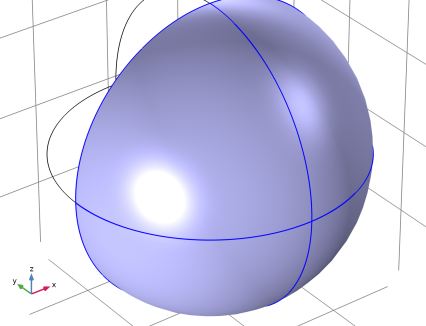
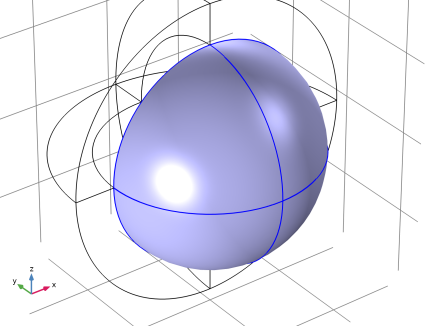
Add a simplified brain domain using an ellipsoid.
Ellipsoid 1 (elp1)
1
In the Geometry toolbar, click  More Primitives and choose Ellipsoid.
2
In the Settings window for Ellipsoid, locate the Size and Shape section.
3
In the a-semiaxis text field, type 0.035.
4
In the b-semiaxis text field, type 0.045.
5
In the c-semiaxis text field, type 0.025.
6
Locate the Position section. In the y text field, type -0.005.
7
In the z text field, type 0.04.
Build a geometry for a microstrip patch antenna operating in the Wi-Fi frequency range.
Block 1 (blk1)
1
In the Geometry toolbar, click  Block.
2
In the Settings window for Block, locate the Size and Shape section.
3
In the Width text field, type 0.004.
4
In the Depth text field, type 0.05.
5
In the Height text field, type 0.05.
6
Locate the Position section. From the Base list, choose Center.
7
In the x text field, type 0.10.
Work Plane 1 (wp1)
1
In the Geometry toolbar, click  Work Plane.
2
In the Settings window for Work Plane, locate the Plane Definition section.
3
From the Plane type list, choose Face parallel.
4
On the object blk1, select Boundary 2 only.
Work Plane 1 (wp1) > Plane Geometry
In the Model Builder window, click Plane Geometry.
Work Plane 1 (wp1) > Square 1 (sq1)
1
In the Work Plane toolbar, click  Square.
2
In the Settings window for Square, locate the Size section.
3
In the Side length text field, type 0.0275.
4
Locate the Position section. From the Base list, choose Center.
Work Plane 1 (wp1) > Rectangle 1 (r1)
1
In the Work Plane toolbar, click  Rectangle.
2
In the Settings window for Rectangle, locate the Size and Shape section.
3
In the Width text field, type 0.0039.
4
In the Height text field, type 0.01125.
5
Locate the Position section. From the Base list, choose Center.
6
In the yw text field, type 0.019375.
Work Plane 1 (wp1) > Union 1 (uni1)
1
In the Work Plane toolbar, click  Booleans and Partitions and choose Union.
2
Click in the Graphics window and then press Ctrl+A to select both objects.
3
In the Settings window for Union, locate the Union section.
4
Clear the Keep interior boundaries checkbox.
Work Plane 1 (wp1) > Rectangle 2 (r2)
1
In the Work Plane toolbar, click  Rectangle.
2
In the Settings window for Rectangle, locate the Size and Shape section.
3
In the Width text field, type 0.006.
4
In the Height text field, type 0.00925.
5
Locate the Position section. In the xw text field, type 0.00195.
6
In the yw text field, type 0.0045.
Work Plane 1 (wp1) > Mirror 1 (mir1)
1
In the Work Plane toolbar, click  Transforms and choose Mirror.
2
3
In the Settings window for Mirror, locate the Input section.
4
Select the Keep input objects checkbox.
Work Plane 1 (wp1) > Difference 1 (dif1)
1
In the Work Plane toolbar, click  Booleans and Partitions and choose Difference.
2
3
In the Settings window for Difference, locate the Difference section.
4
Click to select the  Activate Selection toggle button for Objects to subtract.
5
Select the objects mir1 and r2 only.
6
Click  Build Selected.
Work Plane 2 (wp2)
1
In the Model Builder window, right-click Geometry 1 and choose Work Plane.
2
In the Settings window for Work Plane, locate the Plane Definition section.
3
From the Plane type list, choose Face parallel.
4
On the object blk1, select Boundary 1 only.
Work Plane 2 (wp2) > Plane Geometry
In the Model Builder window, click Plane Geometry.
Work Plane 2 (wp2) > Rectangle 1 (r1)
1
In the Work Plane toolbar, click  Rectangle.
2
In the Settings window for Rectangle, locate the Size and Shape section.
3
In the Width text field, type 0.004.
4
In the Height text field, type 0.0039.
5
Locate the Position section. From the Base list, choose Center.
6
Click  Build Selected.
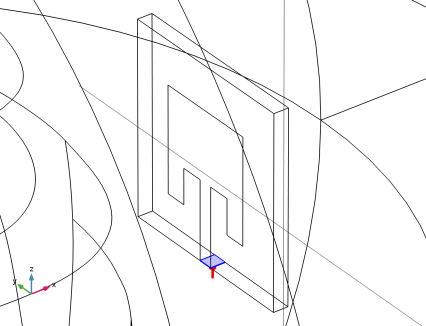
A lumped port will be set to this boundary.
7
Click the  Zoom Extents button in the Graphics toolbar.
Sphere 1 (sph1)
1
In the Geometry toolbar, click  Sphere.
2
In the Settings window for Sphere, locate the Size section.
3
In the Radius text field, type 0.18.
4
Click to expand the Layers section. In the table, enter the following settings:
In this layer, a perfectly matched layer will be assigned.
5
In the Geometry toolbar, click  Build All.
Definitions
Perfectly Matched Layer 1 (pml1)
1
In the Definitions toolbar, click  Perfectly Matched Layer.
2
3
In the Settings window for Perfectly Matched Layer, locate the Geometry section.
4
From the Type list, choose Spherical.
Electromagnetic Waves, Frequency Domain (emw)
Perfect Electric Conductor 2
1
In the Physics toolbar, click  Boundaries and choose Perfect Electric Conductor.
2
The metal parts of the antenna substrate are defined as perfect electric conductors, assuming that the conductivity of copper is high enough to have negligible loss.
Lumped Port 1
1
In the Physics toolbar, click  Boundaries and choose Lumped Port.
2
Specific Absorption Rate 1
1
In the Physics toolbar, click  Domains and choose Specific Absorption Rate.
2
The specific absorption rate feature defines the SAR postprocessing variable. It is calculated from the electromagnetic dissipation density and the specified density for the human head.
Far-Field Domain 1
1
In the Physics toolbar, click  Domains and choose Far-Field Domain.
2
The Far-Field Domain feature defines a wave number for use by its subfeature - the Far-Field Calculation feature.
Add Material
1
In the Materials toolbar, click  Add Material to open the Add Material window.
2
Go to the Add Material window.
3
In the tree, select Built-in > Air.
4
Click the Add to Component button in the window toolbar.
5
In the tree, select Built-in > FR4 (Circuit Board).
6
Click the Add to Component button in the window toolbar.
7
In the Materials toolbar, click  Add Material to close the Add Material window.
Materials
FR4 (Circuit Board) (mat2)
Select Domain 12 only.
Brain
1
In the Model Builder window, right-click Materials and choose Blank Material.
2
In the Settings window for Material, type Brain in the Label text field.
3
4
Locate the Material Contents section. In the table, enter the following settings:
Head
1
Right-click Materials and choose Blank Material.
2
In the Settings window for Material, type Head in the Label text field.
3
4
Locate the Material Contents section. In the table, enter the following settings:
Definitions
View 1
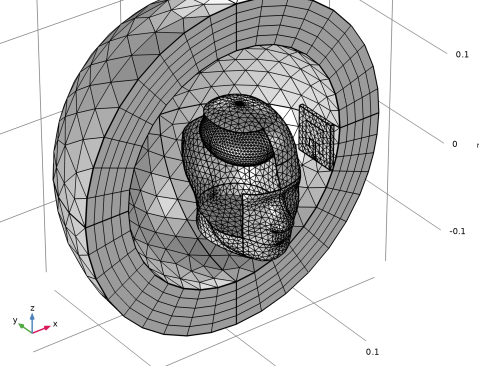
Some domains and boundaries can be removed from the view. This may help when inspecting the mesh quality.
Hide for Physics 1
1
In the Model Builder window, right-click View 1 and choose Hide for Physics.
2
Hide for Physics 2
1
Right-click View 1 and choose Hide for Physics.
2
In the Settings window for Hide for Physics, locate the Geometric Entity Selection section.
3
From the Geometric entity level list, choose Boundary.
4
Click  Paste Selection.
5
In the Paste Selection dialog, type 9, 10, 13-16, 39, 40 in the Selection text field.
6
Mesh 1
1
In the Model Builder window, under Component 1 (comp1) right-click Mesh 1 and choose Build All.
2
In the Home toolbar, click  Compute.
Results
Multislice 1
1
In the Model Builder window, expand the Results > Electric Field (emw) node, then click Multislice 1.
2
In the Settings window for Multislice, locate the Multiplane Data section.
3
Find the Y-planes subsection. In the Planes text field, type 0.
4
Find the Z-planes subsection. In the Planes text field, type 0.
5
Locate the Coloring and Style section. From the Color table list, choose HeatCamera.
6
From the Color table transformation list, choose Reverse.
Filter 1
1
In the Model Builder window, expand the Results > Specific Absorption Rate (sar1) node.
2
Right-click Volume 1 and choose Filter.
3
In the Settings window for Filter, locate the Element Selection section.
4
In the Logical expression for inclusion text field, type z<0.04 && x>0.
The computed SAR values are plotted over the entire SAR domain. By adding a filter subfeature, the values inside the domain can be visualized.
Electric Field, Logarithmic (emw)
In the Model Builder window, under Results click Electric Field, Logarithmic (emw).
Specific Absorption Rate (sar1)
1
In the Model Builder window, click Specific Absorption Rate (sar1).
2
In the Settings window for 3D Plot Group, click to expand the Selection section.
3
Locate the Plot Settings section. Clear the Plot dataset edges checkbox.
4
In the Specific Absorption Rate (sar1) toolbar, click  Plot.
5
Click the  Zoom Extents button in the Graphics toolbar.
Compared the SAR plot with Figure 2.
2D Far Field (emw)
1
In the Model Builder window, click 2D Far Field (emw).
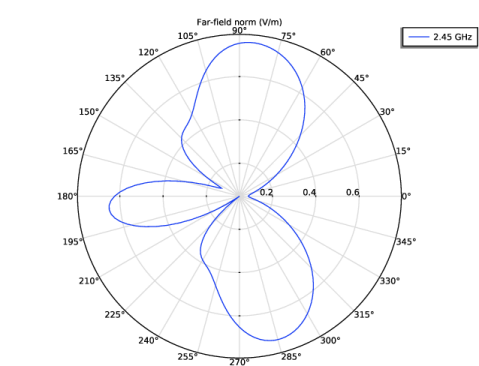
The default polar plot shows the far-field norm on the xy-plane.
Radiation Pattern 1
1
In the Model Builder window, expand the Results > 3D Far Field, Gain (emw) node, then click Radiation Pattern 1.
2
In the Settings window for Radiation Pattern, locate the Evaluation section.
3
Find the Angles subsection. In the Number of elevation angles text field, type 90.
4
In the Number of azimuth angles text field, type 90.
5
Locate the Coloring and Style section. From the Color table list, choose Twilight.
6
From the Color table transformation list, choose Reverse.
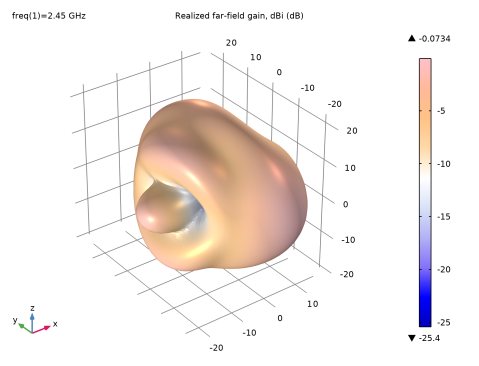
The far-field radiation pattern of the microstrip patch antenna is distorted due to the reflection from the human head.
SAR 1g
1
In the Results toolbar, click  3D Plot Group.
2
In the Settings window for 3D Plot Group, type SAR 1g in the Label text field.
3
Click to expand the Selection section. Select Domains 6 and 7 only.
Slice 1
1
Right-click SAR 1g and choose Slice.
2
In the Settings window for Slice, click Replace Expression in the upper-right corner of the Expression section. From the menu, choose Component 1 (comp1) > Electromagnetic Waves, Frequency Domain > Heating and losses > emw.SAR1g - Specific absorption rate, 1g - W/kg.
3
Locate the Plane Data section. From the Plane list, choose ZX-planes.
4
In the Planes text field, type 1.
5
Locate the Coloring and Style section. From the Color table list, choose ThermalWaveDark.
6
In the SAR 1g toolbar, click  Plot.
SAR 1g data can also be extracted.