|
|
|
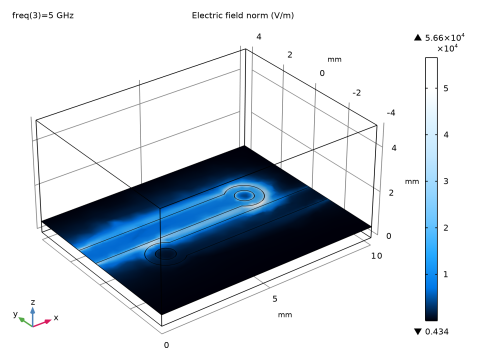
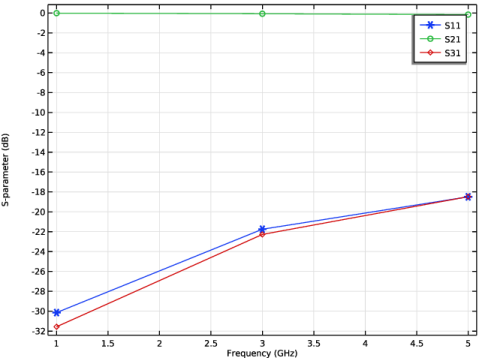
|
1
|
|
2
|
|
3
|
Click Add.
|
|
4
|
Click
 Study. Study. |
|
5
|
In the Select Study tree, select Preset Studies for Selected Physics Interfaces > TEM Boundary Mode Analysis.
|
|
6
|
Click
 Done. Done. |
|
1
|
|
2
|
|
1
|
|
2
|
|
3
|
|
1
|
|
2
|
|
3
|
|
4
|
|
5
|
|
6
|
|
7
|
Click to expand the Layers section. In the table, enter the following settings:
|
|
1
|
|
2
|
|
3
|
|
1
|
|
2
|
|
3
|
|
4
|
|
5
|
|
1
|
|
2
|
|
3
|
|
4
|
|
5
|
|
1
|
|
2
|
Click in the Graphics window and then press Ctrl+A to select both objects.
|
|
3
|
|
4
|
Clear the Keep interior boundaries checkbox.
|
|
5
|
Click the
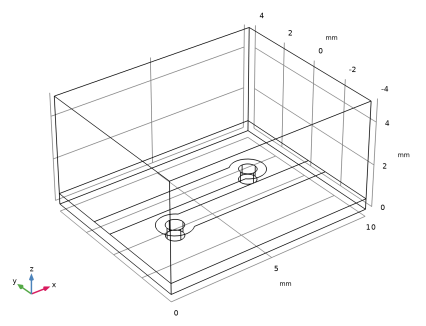
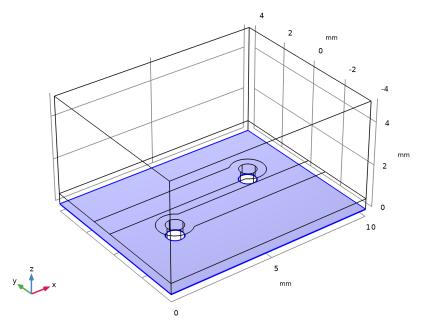
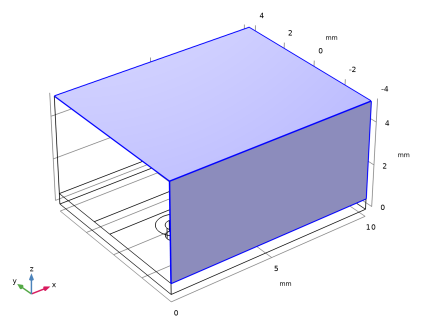
 Wireframe Rendering button in the Graphics toolbar. The wireframe rendering provides a better view of inside the box. Wireframe Rendering button in the Graphics toolbar. The wireframe rendering provides a better view of inside the box. |
|
1
|
|
2
|
|
3
|
|
4
|
|
5
|
|
6
|
|
1
|
|
2
|
|
3
|
|
4
|
Select the Keep input objects checkbox.
|
|
5
|
|
6
|
Click
 Build All Objects. Build All Objects. |
|
7
|
|
8
|
|
1
|
|
3
|
|
4
|
|
1
|
In the Physics toolbar, click
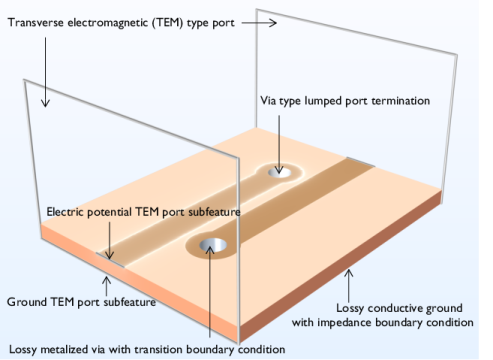
 Boundaries and choose Transition Boundary Condition. Lossy conductive surfaces can be modeled using Transition Boundary Condition for interior boundaries. Boundaries and choose Transition Boundary Condition. Lossy conductive surfaces can be modeled using Transition Boundary Condition for interior boundaries. |
|
3
|
In the Settings window for Transition Boundary Condition, locate the Transition Boundary Condition section.
|
|
4
|
|
1
|
In the Physics toolbar, click
 Boundaries and choose Impedance Boundary Condition. Lossy conductive surfaces can be modeled using Impedance Boundary Condition for exterior boundaries. This can also be looked as geometrically thick conductive volume. Boundaries and choose Impedance Boundary Condition. Lossy conductive surfaces can be modeled using Impedance Boundary Condition for exterior boundaries. This can also be looked as geometrically thick conductive volume. |
|
1
|
|
3
|
|
4
|
|
1
|
|
1
|
|
1
|
|
2
|
|
4
|
|
5
|
|
1
|
|
3
|
|
4
|
|
1
|
|
3
|
|
4
|
|
5
|
|
6
|
Click OK.
|
|
7
|
|
8
|
In the Settings window for Electromagnetic Waves, Frequency Domain, click to expand the Port Options section.
|
|
9
|
|
1
|
|
2
|
Go to the Add Material window.
|
|
3
|
|
4
|
Click the Add to Component button in the window toolbar.
|
|
5
|
|
6
|
Click the Add to Component button in the window toolbar.
|
|
1
|
|
2
|
|
1
|
Go to the Add Material window.
|
|
2
|
|
3
|
Click the Add to Component button in the window toolbar.
|
|
4
|
|
1
|
|
2
|
|
3
|
|
1
|
|
2
|
|
3
|
|
4
|
|
1
|
|
2
|
|
1
|
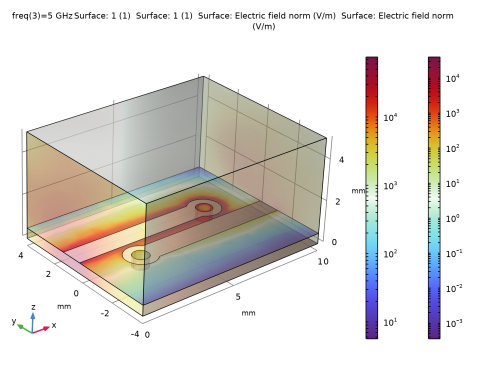
In the Model Builder window, expand the Results > Electric Field (emw) node, then click Multislice 1.
|
|
2
|
|
3
|
|
4
|
|
5
|
|
6
|
|
7
|
|
1
|
|
2
|
|
3
|