PDF

Embedded Scatterer on a Substrate
Introduction
A plane transverse electric (TE)–polarized electromagnetic wave is incident on a metallic sphere embedded on a substrate. In this electromagnetic scattering problem, the far-field variables are computed for a few different elevation angles of incidence.
Model Definition
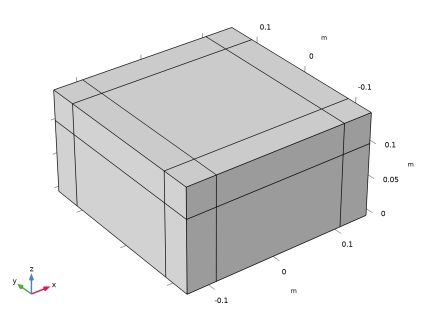
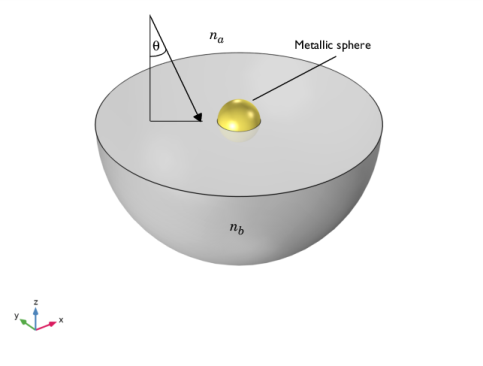
Figure 1 shows the schematic of the geometry. One half of the spherical metallic scatterer is embedded within the dielectric substrate. The substrate is considered to occupy the entire z<0 half space, while the z>0 half space is air. The interface between the air and the substrate is planar and located in the xy–plane at z=0. A plane electromagnetic wave, with frequency 2.3 GHz, is incident at an elevation angle θ. The wave is plane–polarized with the electric field vector tangential to the interface between the air and the substrate.
Figure 1: The modeled geometry. The gray domain represents the dielectric substrate, and the gold spherical domain represents the metallic scatterer. The incident wave propagates at an elevation angle θ.
The model uses na = 1 for air and nb = 1.7 for the dielectric substrate. The metallic sphere is modeled as a perfect electric conductor. The model calculates the S–parameters without the scatterer and the far–field variables in the presence of the scatterer.
Results and Discussion
As is explained in Notes About the COMSOL Implementation, the model first computes a background field from the plane wave incident on the substrate, and then uses that to arrive at the total field with the scatterer present.
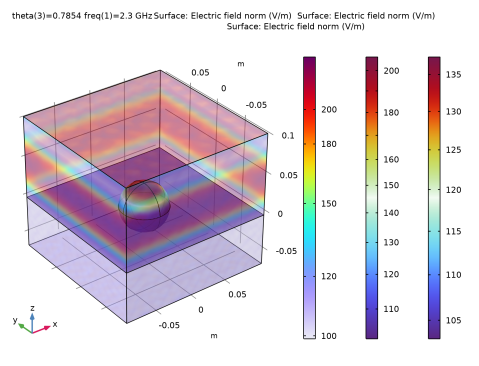
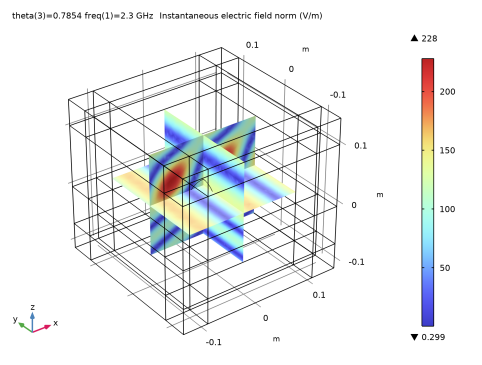
Figure 2 shows the instantaneous electric field norm of the total field due to the superposition of the incident plane wave and the field reflected from the substrate, for θ = π/4. This total electric field is not affected by the scatterer. In the air, the total field is a superposition of the incident and the reflected plane waves. In the substrate, only the transmitted plane wave exists.
Figure 2: Instantaneous electric field norm of the total field without the scatterer for θ = π/4.
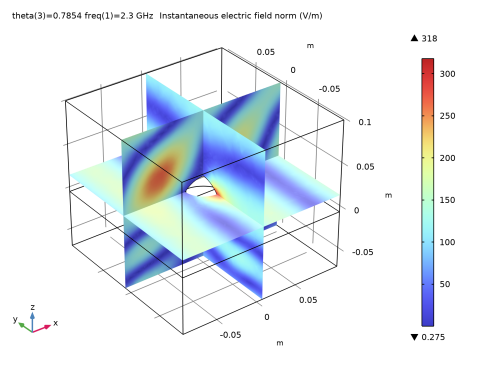
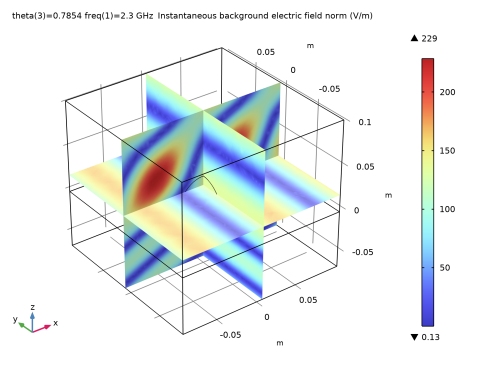
The total electric field solved for without the scatterer is used as the background field to solve for the total electric field in the presence of the scatterer. Figure 3 shows the instantaneous norm of the total electric field for θ = π/4, after it has been influenced both by the material interface and by the scatterer. Figure 4 shows the instantaneous norm of the background electric field for the same elevation angle of incidence, which is similar to Figure 2.
Figure 3: Instantaneous norm of the total electric field in the presence of the scatterer for θ = π/4.
Figure 4: Instantaneous norm of the background electric field for θ = π/4.
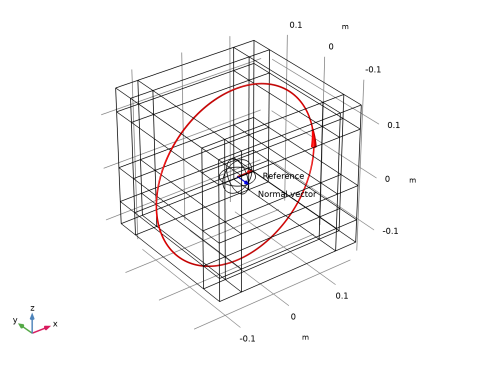
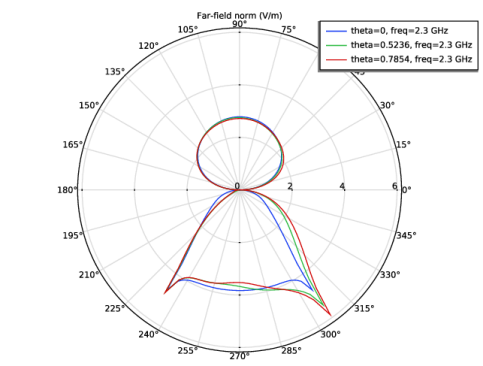
Figure 5 shows a polar plot of the far–field norm radiation pattern. Radiation patterns are plotted in plane of incidence, xz–plane, for different elevation angles of incidence, θ = 0, θ = π/6, and θ = π/4.
Figure 5: Radiation pattern of the far-field norm in the xz-plane.
Notes About the COMSOL Implementation
The Electromagnetic Waves, Frequency Domain interface provides as an option to solve for the scattered field, a perturbation to the total field caused by a local scatterer embedded on a substrate. If the scatterer is suspended in free space, the incident field that is launched — for instance, a Gaussian or plane wave — is simply entered as the background electric field. With the scatterer embedded on a substrate, the analytical expression for the background field becomes more complicated. It needs to be the correct superposition of an incident field, the field reflected from the substrate, and the transmitted field in the substrate.
A simple and general way to avoid having to derive and enter the analytical background field is to use a full field solution of the problem without the scatterer. To achieve this full field solution, the simulation is set up with two Port and two Periodic Condition nodes. One Port node defines the incident plane wave and allows for specular reflection. The other one absorbs the transmitted plane wave. The Periodic Conditions nodes allow the solution of one side of the geometry to be equal to the solution on the other side multiplied by a complex-valued phase factor. This effectively turns the model into a periodic cell of a geometry that extends indefinitely.
A second Electromagnetic Waves, Frequency Domain interface introduces the scatterer and a Perfect Electric Conductor node is used to define it. The total field solution from the first interface is used as the background electric field. This solves for the total field, including the field scattered by the scatterer, and allows calculating the far-field variables using a Far-Field Domain, Inhomogeneous node.
Application Library path: RF_Module/Scattering_and_RCS/embedded_scatterer_on_substrate
Modeling Instructions
From the File menu, choose New.
New
In the New window, click  Model Wizard.
Model Wizard
1
In the Model Wizard window, click  3D.
2
In the Select Physics tree, select Radio Frequency > Electromagnetic Waves, Frequency Domain (emw).
3
Click Add.
4
Click Add.
5
Click  Study.
6
In the Select Study tree, select General Studies > Frequency Domain.
7
Electromagnetic Waves, Frequency Domain (emw)
Update the Electric displacement field model settings to Refractive index. This enables you to specify the materials using a Refractive index material model.
Wave Equation, Electric 1
1
In the Model Builder window, under Component 1 (comp1) > Electromagnetic Waves, Frequency Domain (emw) click Wave Equation, Electric 1.
2
In the Settings window for Wave Equation, Electric, locate the Electric Displacement Field section.
3
From the Electric displacement field model list, choose Refractive index.
Electromagnetic Waves, Frequency Domain 2 (emw2)
1
In the Model Builder window, under Component 1 (comp1) > Electromagnetic Waves, Frequency Domain 2 (emw2) click Wave Equation, Electric 1.
2
In the Settings window for Wave Equation, Electric, locate the Electric Displacement Field section.
3
From the Electric displacement field model list, choose Refractive index.
Global Definitions
Define some parameters that are useful for setting up the geometry and the study.
Parameters 1
1
In the Model Builder window, under Global Definitions click Parameters 1.
2
In the Settings window for Parameters, locate the Parameters section.
3
Here, c_const is a predefined COMSOL constant for the speed of light in vacuum.
Geometry 1
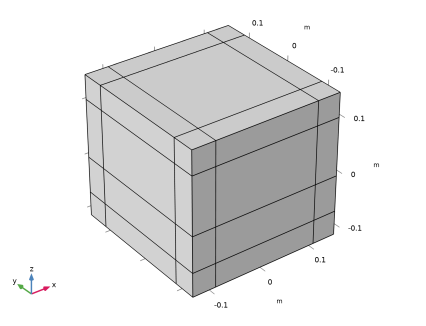
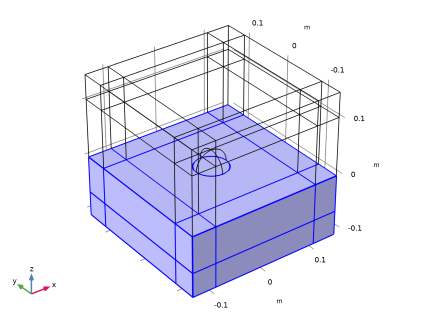
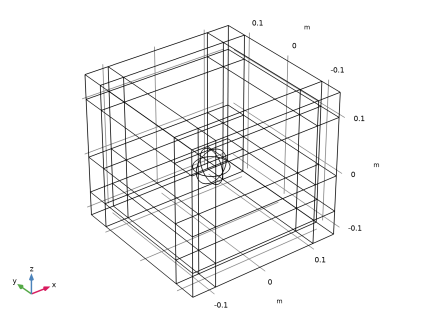
Draw the air domain with layers. The outermost layers represent the PMLs.
Air
1
In the Geometry toolbar, click  Block.
2
In the Settings window for Block, type Air in the Label text field.
3
Locate the Size and Shape section. In the Width text field, type w+2*t_pml.
4
In the Depth text field, type w+2*t_pml.
5
In the Height text field, type h_air+t_pml.
6
Locate the Position section. From the Base list, choose Center.
7
In the z text field, type (h_air+t_pml)/2.
8
Click to expand the Layers section. In the table, enter the following settings:
Select the Left, Right, Front, Back, and Top checkboxes.
Clear the Bottom checkbox.
9
Find the Layer position subsection. Select the Left checkbox.
10
Select the Right checkbox.
11
Select the Front checkbox.
12
Select the Back checkbox.
13
Clear the Bottom checkbox.
14
Select the Top checkbox.
15
Locate the Selections of Resulting Entities section. Select the Resulting objects selection checkbox.
16
Click  Build Selected.
Substrate
Now, draw the substrate domain with layers. The outermost layers represent the PMLs.
1
In the Geometry toolbar, click  Block.
2
In the Settings window for Block, type Substrate in the Label text field.
3
Locate the Size and Shape section. In the Width text field, type w+2*t_pml.
4
In the Depth text field, type w+2*t_pml.
5
In the Height text field, type h_subs+t_pml.
6
Locate the Position section. From the Base list, choose Center.
7
In the z text field, type -(h_subs+t_pml)/2.
8
Locate the Layers section. In the table, enter the following settings:
Select the Left, Right, Front, Back, and Bottom checkboxes. Leave the Top checkbox cleared.
9
Find the Layer position subsection. Select the Left checkbox.
10
Select the Right checkbox.
11
Select the Front checkbox.
12
Select the Back checkbox.
13
Locate the Selections of Resulting Entities section. Select the Resulting objects selection checkbox.
14
Click  Build Selected.
15
Click the  Zoom Extents button in the Graphics toolbar.
Scatterer
1
In the Geometry toolbar, click  Sphere.
2
In the Settings window for Sphere, type Scatterer in the Label text field.
3
Locate the Size section. In the Radius text field, type r_scatterer.
4
Locate the Selections of Resulting Entities section. Select the Resulting objects selection checkbox.
5
In the Geometry toolbar, click  Build All.
6
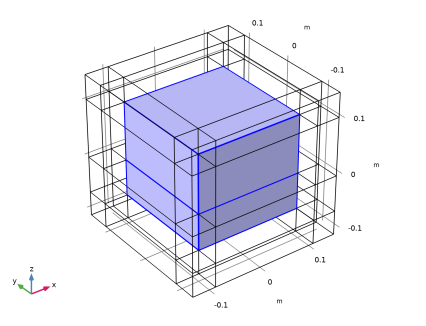
Click the  Wireframe Rendering button in the Graphics toolbar, for better visualization of the scatterer.
Definitions
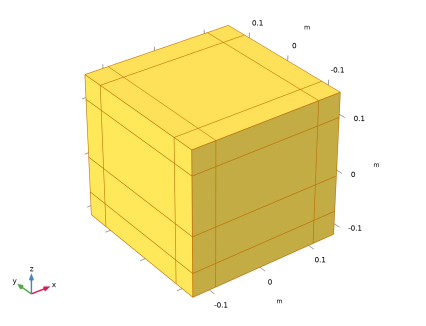
Define selections to separate between the part of your model where you will compute physical results and the part that will constitute the PML. For convenience, add a separate selection for the scatterer.
Physical Domains
1
In the Definitions toolbar, click  Explicit.
2
In the Settings window for Explicit, type Physical Domains in the Label text field.
3
PML Domains
1
In the Definitions toolbar, click  Complement.
2
In the Settings window for Complement, type PML Domains in the Label text field.
3
Locate the Input Entities section. Under Selections to invert, click  Add.
4
In the Add dialog, select Physical Domains in the Selections to invert list.
5
Perfectly Matched Layer 1 (pml1)
1
In the Definitions toolbar, click  Perfectly Matched Layer.
2
In the Settings window for Perfectly Matched Layer, locate the Domain Selection section.
3
From the Selection list, choose PML Domains.
4
Locate the Scaling section. From the Physics list, choose Electromagnetic Waves, Frequency Domain 2 (emw2).
Variables 1
Only the second interface will be active in the PML domains. As this interface will use the electric field components from the first interface, define the electric fields to be 0 in the PML domains.
1
In the Model Builder window, under Component 1 (comp1) right-click Definitions and choose Variables.
2
In the Settings window for Variables, locate the Geometric Entity Selection section.
3
From the Geometric entity level list, choose Domain.
4
From the Selection list, choose PML Domains.
5
Locate the Variables section. In the table, enter the following settings:
Materials
Define materials for the air and the substrate domains. The scatterer will be modeled as a perfect electric conductor in the second interface.
Air
1
In the Model Builder window, under Component 1 (comp1) right-click Materials and choose Blank Material.
2
In the Settings window for Material, type Air in the Label text field.
3
Locate the Material Contents section. In the table, enter the following settings:
Substrate
1
Right-click Materials and choose Blank Material.
2
In the Settings window for Material, type Substrate in the Label text field.
3
Locate the Geometric Entity Selection section. From the Selection list, choose Substrate.
4
Locate the Material Contents section. In the table, enter the following settings:
Electromagnetic Waves, Frequency Domain (emw)
You are now ready to specify the physics. Start by setting up the first interface so that it computes the full wave solution to the plane wave falling in on the semi-infinite substrate.
1
In the Model Builder window, under Component 1 (comp1) click Electromagnetic Waves, Frequency Domain (emw).
2
In the Settings window for Electromagnetic Waves, Frequency Domain, locate the Domain Selection section.
3
From the Selection list, choose Physical Domains, to exclude the PML domains.
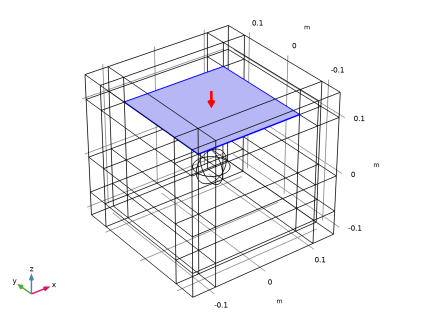
Port 1
1
In the Physics toolbar, click  Boundaries and choose Port.
2
3
In the Settings window for Port, locate the Port Properties section.
4
From the Type of port list, choose Periodic.
5
Locate the Port Mode Settings section. From the Polarization list, choose Linear polarization.
6
In the α1 text field, type theta.
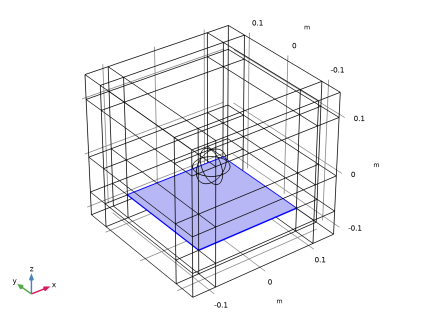
Port 2
1
Right-click Port 1 and choose Duplicate.
2
In the Settings window for Port, locate the Boundary Selection section.
3
Click  Clear Selection.
4
5
Locate the Port Properties section. From the Wave excitation at this port list, choose Off.
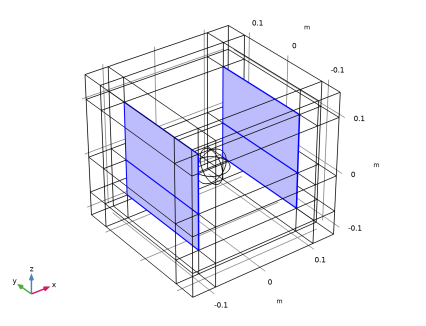
Periodic Condition 1
1
In the Physics toolbar, click  Boundaries and choose Periodic Condition.
2
3
In the Settings window for Periodic Condition, locate the Periodicity Settings section.
4
From the Type of periodicity list, choose Floquet periodicity.
5
From the k-vector for Floquet periodicity list, choose From periodic port.
Periodic Condition 2
1
Right-click Periodic Condition 1 and choose Duplicate.
2
In the Settings window for Periodic Condition, locate the Boundary Selection section.
3
Click  Clear Selection.
4
Electromagnetic Waves, Frequency Domain 2 (emw2)
Set up the second interface to compute how the plane wave solution from the first interface is affected by the scatterer.
1
In the Model Builder window, under Component 1 (comp1) click Electromagnetic Waves, Frequency Domain 2 (emw2).
2
In the Settings window for Electromagnetic Waves, Frequency Domain, locate the Formulation section.
3
From the list, choose Scattered field.
4
Specify the Eb vector as
Perfect Electric Conductor 2
Add Perfect Electric Conductor node to define the scatterer.
1
In the Physics toolbar, click  Domains and choose Perfect Electric Conductor.
2
In the Settings window for Perfect Electric Conductor, locate the Domain Selection section.
3
From the Selection list, choose Scatterer.
Far-Field Domain, Inhomogeneous 1
Add Far-Field Domain, Inhomogeneous node to calculate the far-field variables.
In the Physics toolbar, click  Domains and choose Far-Field Domain, Inhomogeneous.
Substrate 1
1
In the Model Builder window, expand the Far-Field Domain, Inhomogeneous 1 node, then click Substrate 1.
2
Study 1
Step 1: Frequency Domain
1
In the Model Builder window, under Study 1 click Step 1: Frequency Domain.
2
In the Settings window for Frequency Domain, locate the Study Settings section.
3
In the Frequencies text field, type f0.
4
Locate the Physics and Variables Selection section. In the Solve for column of the table, under Component 1 (comp1), clear the checkbox for Electromagnetic Waves, Frequency Domain 2 (emw2).
Step 2: Frequency Domain 1
1
Right-click Study 1 > Step 1: Frequency Domain and choose Duplicate.
2
In the Settings window for Frequency Domain, locate the Physics and Variables Selection section.
3
In the Solve for column of the table, under Component 1 (comp1), clear the checkbox for Electromagnetic Waves, Frequency Domain (emw).
4
In the Solve for column of the table, under Component 1 (comp1), select the checkbox for Electromagnetic Waves, Frequency Domain 2 (emw2).
Set up the solver for a few elevation angles of incidence. Because the second physics interface depends on the first one but not vice versa, the model can be solved sequentially.
Parametric Sweep
1
In the Study toolbar, click  Parametric Sweep.
2
In the Settings window for Parametric Sweep, locate the Study Settings section.
3
4
5
In the Study toolbar, click  Compute.
Results
Multislice 1
Create a plot of the instantaneous norm of the total electric field without the scatterer to reproduce Figure 2.
1
In the Model Builder window, expand the Electric Field (emw) node, then click Multislice 1.
2
In the Settings window for Multislice, locate the Expression section.
3
In the Expression text field, type emw.normEi.
4
In the Electric Field (emw) toolbar, click  Plot.
You have now plotted the instantaneous norm of the electric field from the first interface, for the θ /4 solution. You can look at the different solutions using the Parameter Value list.
S-Parameter (emw)
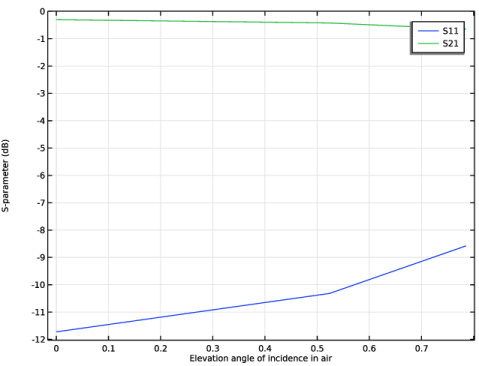
This default plot shows the S11 and S21 parameters versus the elevation angle of incidence.
In the Model Builder window, under Results click S-Parameter (emw).
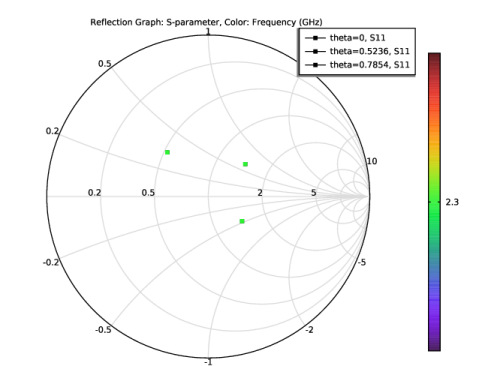
Smith Plot (emw)
This default plot shows the Smith plot to visualize the S11 parameter.
In the Model Builder window, click Smith Plot (emw).
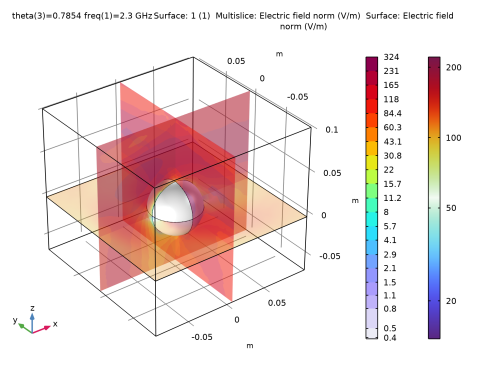
Electric Field, Logarithmic (emw)
This default plot shows the norm of the total electric field in logarithmic scale from the first interface, for the θ /4 solution.
In the Model Builder window, click Electric Field, Logarithmic (emw).
Polarization Plot (emw)
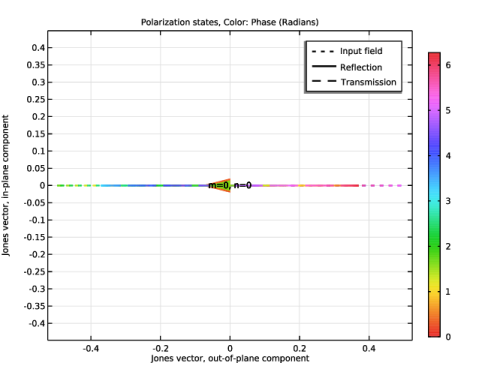
This default plot shows the polarization state of the plane wave.
In the Model Builder window, click Polarization Plot (emw).
Electric Field (emw2)
Create a plot of the instantaneous norm of the total field in the presence of the scatterer to reproduce Figure 3, for the θ /4 solution.
Multislice 1
1
In the Model Builder window, expand the Electric Field (emw2) node, then click Multislice 1.
2
In the Settings window for Multislice, locate the Expression section.
3
In the Expression text field, type emw2.normEi.
4
In the Electric Field (emw2) toolbar, click  Plot.
Electric Field, Background (emw2)
This default plot shows the instantaneous norm of the background electric field as is shown in Figure 4, for the θ /4 solution.
Electric Field, Logarithmic (emw2)
This default plot shows the norm of the total electric field in logarithmic scale from the second interface, for the θ /4 solution.
In the Model Builder window, click Electric Field, Logarithmic (emw2).
2D Far Field (ffi1)
Create a plot of the radiation pattern in the plane of incidence, xz-plane, to reproduce Figure 5.
Radiation Pattern 1
1
In the Model Builder window, expand the Results > 2D Far Field (ffi1) node, then click Radiation Pattern 1.
2
In the Settings window for Radiation Pattern, locate the Evaluation section.
3
Find the Normal vector subsection. In the y text field, type -1.
4
In the z text field, type 0.
5
Click Preview Evaluation Plane.
6
Click to expand the Legends section. Select the Show legends checkbox.
7
In the 2D Far Field (ffi1) toolbar, click  Plot, to reproduce Figure 5.