|
|
|

















 |
|||

|
1
|
|
2
|
|
3
|
Click Add.
|
|
4
|
Click
 Study. Study. |
|
5
|
|
6
|
Click
 Done. Done. |
|
1
|
|
2
|
|
3
|
|
4
|
|
6
|
Click
 Build All Objects. Build All Objects. |
|
1
|
|
2
|
|
1
|
|
2
|
|
1
|
|
1
|
|
2
|
|
3
|
Click
 Browse. Browse. |
|
5
|
Click
 Import. Import. |
|
6
|
|
7
|
|
8
|
|
9
|
Locate the Plasma Properties section. Select the Use reduced electron transport properties checkbox.
|
|
1
|
|
2
|
|
3
|
|
4
|
|
1
|
|
2
|
|
3
|
|
4
|
|
1
|
|
2
|
|
3
|
Select the From mass constraint checkbox.
|
|
4
|
|
1
|
|
2
|
|
3
|
|
4
|
|
1
|
|
2
|
|
3
|
Select the Initial value from electroneutrality constraint checkbox.
|
|
4
|
|
1
|
|
2
|
|
3
|
|
4
|
|
1
|
|
2
|
|
3
|
|
4
|
|
1
|
|
3
|
|
4
|
|
5
|
|
6
|
|
1
|
|
3
|
|
4
|
|
5
|
|
6
|
|
1
|
|
3
|
|
4
|
|
1
|
|
1
|
|
1
|
|
1
|
|
3
|
|
4
|
|
5
|
|
1
|
In the Model Builder window, under Component 1 (comp1) right-click Materials and choose Blank Material.
|
|
2
|
|
4
|
Locate the Material Contents section. In the table, enter the following settings:
|
|
1
|
|
2
|
|
3
|
|
1
|
|
2
|
|
3
|
Click
 Clear Selection. Clear Selection. |
|
5
|
|
6
|
|
7
|
|
8
|
|
9
|
Select the Symmetric distribution checkbox.
|
|
10
|
Click
 Build All. Build All. |
|
1
|
|
2
|
|
3
|
Click
 Range. Range. |
|
4
|
|
5
|
|
6
|
|
7
|
Click Replace.
|
|
8
|
|
1
|
|
2
|
|
3
|
Clear the Separate levels checkbox.
|
|
4
|
|
1
|
|
2
|
|
3
|
|
1
|
|
2
|
|
1
|
|
2
|
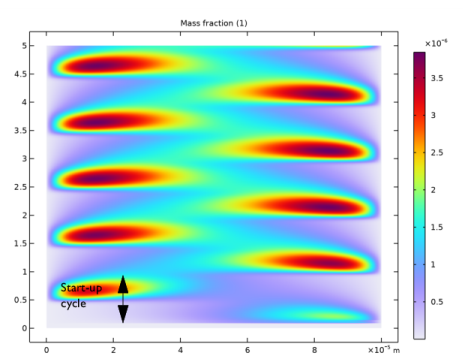
In the Settings window for Surface, click Replace Expression in the upper-right corner of the Expression section. From the menu, choose Component 1 (comp1) > Plasma > Mass fractions > plas.wArs - Mass fraction - 1.
|
|
3
|
|
4
|
|
1
|
|
2
|
|
1
|
|
2
|
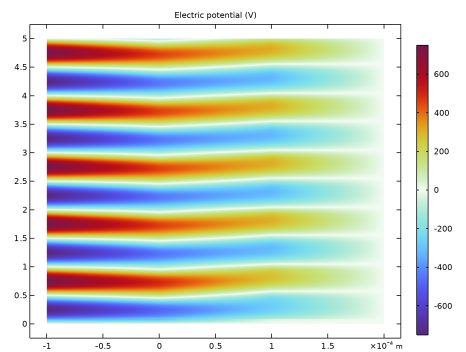
In the Settings window for Surface, click Replace Expression in the upper-right corner of the Expression section. From the menu, choose Component 1 (comp1) > Plasma > Electric > V - Electric potential - V.
|
|
3
|
|
4
|
|
5
|
Click
 Plot. Plot. |
|
6
|
|
1
|
|
2
|
|
1
|
|
2
|
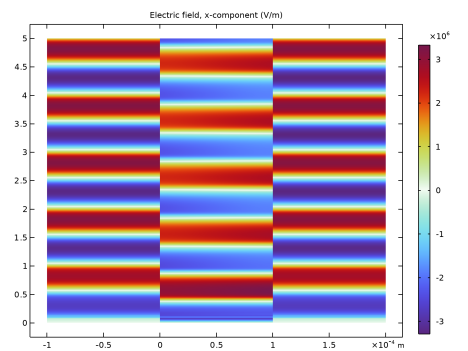
In the Settings window for Surface, click Replace Expression in the upper-right corner of the Expression section. From the menu, choose Component 1 (comp1) > Plasma > Electric > Electric field - V/m > plas.Ex - Electric field, x-component.
|
|
3
|
|
4
|
Click
 Plot. Plot. |
|
5
|
|
1
|
|
2
|
|
1
|
|
2
|
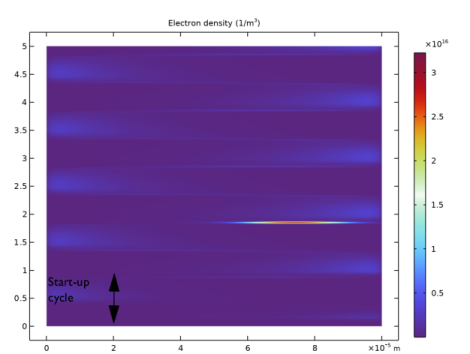
In the Settings window for Surface, click Replace Expression in the upper-right corner of the Expression section. From the menu, choose Component 1 (comp1) > Plasma > Electron density > plas.ne - Electron density - 1/m³.
|
|
3
|
|
4
|
Click
 Plot. Plot. |
|
5
|
|
1
|
|
2
|
|
1
|
|
2
|
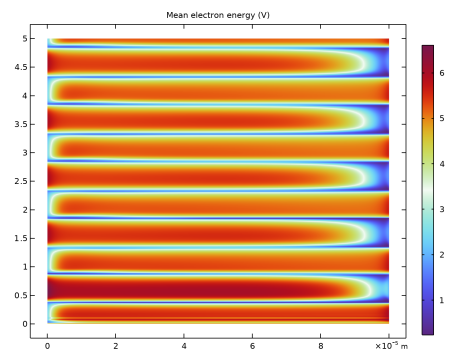
In the Settings window for Surface, click Replace Expression in the upper-right corner of the Expression section. From the menu, choose Component 1 (comp1) > Plasma > Electron energy density > plas.ebar - Mean electron energy - V.
|
|
3
|
|
4
|
Click
 Plot. Plot. |
|
5
|
|
1
|
|
2
|
|
3
|
|
1
|
|
2
|
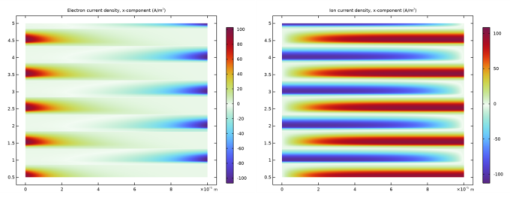
In the Settings window for Surface, click Replace Expression in the upper-right corner of the Expression section. From the menu, choose Component 1 (comp1) > Plasma > Current > Electron current density - A/m² > plas.Jelx - Electron current density, x-component.
|
|
3
|
|
4
|
|
5
|
Click
 Plot. Plot. |
|
6
|
|
1
|
|
2
|
|
1
|
|
2
|
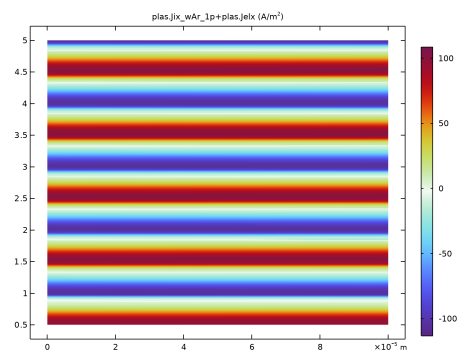
In the Settings window for Surface, click Replace Expression in the upper-right corner of the Expression section. From the menu, choose Component 1 (comp1) > Plasma > Species > Species wAr_1p > Ion current density - A/m² > plas.Jix_wAr_1p - Ion current density, x-component.
|
|
3
|
|
4
|
Click
 Plot. Plot. |
|
5
|
|
1
|
|
2
|
In the Settings window for 2D Plot Group, type Total Conduction Current Density in the Label text field.
|
|
1
|
In the Model Builder window, expand the Total Conduction Current Density node, then click Surface 1.
|
|
2
|
|
3
|
|
4
|
|
5
|
Click
 Plot. Plot. |
|
6
|
|
1
|
|
2
|
|
1
|
|
2
|
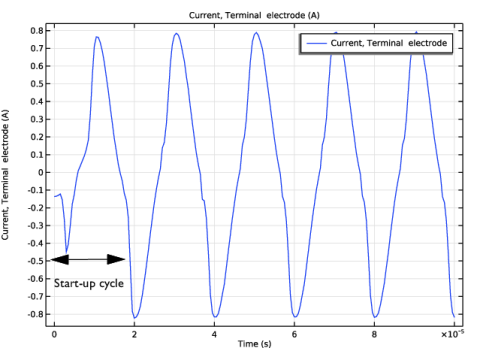
In the Settings window for Global, click Replace Expression in the upper-right corner of the y-Axis Data section. From the menu, choose Component 1 (comp1) > Plasma > plas.I_electrode - Current, Terminal electrode - A.
|
|
3
|
|
1
|
|
2
|
|
1
|
|
2
|
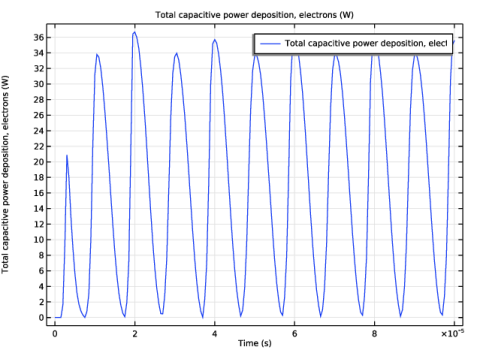
In the Settings window for Global, click Replace Expression in the upper-right corner of the y-Axis Data section. From the menu, choose Component 1 (comp1) > Plasma > Power and collisions > plas.Pcap_tot - Total capacitive power deposition, electrons - W.
|
|
3
|
|
1
|
|
2
|
|
3
|
|
4
|
Locate the Expressions section. In the table, enter the following settings:
|
|
5
|
Click
 Evaluate. Evaluate. |