|
|
|


|
1
|
|
2
|
In the Select Physics tree, select Electrochemistry > Primary and Secondary Current Distribution > Current Distribution, Shell (cdsh).
|
|
3
|
Click Add.
|
|
4
|
Click
 Study. Study. |
|
5
|
|
6
|
Click
 Done. Done. |
|
1
|
|
2
|
|
3
|
|
4
|
|
5
|
|
6
|
|
7
|
Click
 Build All Objects. Build All Objects. |
|
1
|
|
2
|
|
3
|
Click
 Load from File. Load from File. |
|
4
|
Browse to the model’s Application Libraries folder and double-click the file atmospheric_corrosion_parameters.txt.
|
|
1
|
|
2
|
|
3
|
|
1
|
|
2
|
|
3
|
|
1
|
|
2
|
|
3
|
Click
 Clear Selection. Clear Selection. |
|
1
|
|
2
|
Go to the Add Material window.
|
|
3
|
|
4
|
Click the Add to Component button in the window toolbar.
|
|
2
|
|
1
|
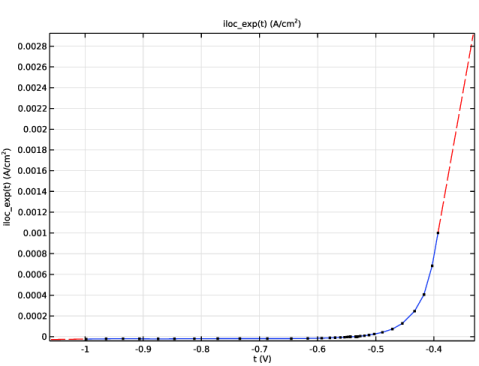
In the Model Builder window, expand the Component 1 (comp1) > Materials > AISI 4340 steel in 0.6M NaCl at pH = 8.3 (mat1) > Local current density (lcd) node, then click Interpolation 1 (iloc_exp).
|
|
2
|
|
1
|
Go to the Add Material window.
|
|
2
|
|
3
|
Click the Add to Component button in the window toolbar.
|
|
4
|
|
2
|
|
1
|
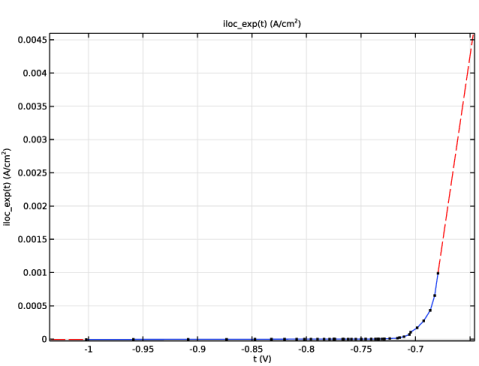
In the Model Builder window, expand the Component 1 (comp1) > Materials > AA5083-H131 in 0.6 M NaCl (mat2) > Local current density (lcd) node, then click Interpolation 1 (iloc_exp).
|
|
2
|
|
1
|
|
2
|
In the Settings window for Current Distribution, Shell, click to expand the Physics vs. Materials Reference Electrode Potential section.
|
|
3
|
From the list, choose 0.241 V (SCE vs. SHE).
|
|
1
|
In the Model Builder window, under Component 1 (comp1) > Current Distribution, Shell (cdsh) click Electrolyte 1.
|
|
2
|
|
3
|
|
4
|
|
1
|
|
1
|
|
2
|
|
3
|
|
1
|
|
1
|
|
2
|
|
3
|
|
4
|
Select the Limiting current density checkbox.
|
|
5
|
|
1
|
|
2
|
Click in the Graphics window and then press Ctrl+A to select both boundaries.
|
|
1
|
|
2
|
|
3
|
|
4
|
|
5
|
|
6
|
Select the Reverse direction checkbox.
|
|
1
|
|
3
|
|
4
|
Clear the Reverse direction checkbox.
|
|
5
|
Click
 Build All. Build All. |
|
1
|
|
2
|
|
3
|
|
4
|
Click
 Add. Add. |
|
6
|
Click
 Add. Add. |
|
1
|
|
2
|
|
3
|
|
4
|
|
5
|
|
1
|
|
2
|
|
3
|
Select the y-axis log scale checkbox.
|
|
1
|
|
2
|
|
3
|
|
4
|
|
5
|
Click in the Graphics window and then press Ctrl+A to select both boundaries.
|
|
6
|
|
7
|
|
8
|
|
9
|
|
10
|
|
11
|
|
1
|
|
2
|
|
1
|
|
2
|
|
3
|
|
4
|
|
5
|
Locate the Plot Settings section.
|
|
6
|
|
7
|
Select the y-axis label checkbox. In the associated text field, type Current density (A/m<sup>2</sup>).
|
|
8
|
|
9
|
|
1
|
|
2
|
|
1
|
|
2
|
|
3
|
|
4
|
|
1
|
|
2
|
|
1
|
|
2
|
|
3
|
|
4
|