|
|
|

|
1
|
|
2
|
In the Select Physics tree, select Acoustics > Pressure Acoustics > Pressure Acoustics, Frequency Domain (acpr).
|
|
3
|
Click Add.
|
|
4
|
Click
 Study. Study. |
|
5
|
|
6
|
Click
 Done. Done. |
|
1
|
|
2
|
|
3
|
Click
 Load from File. Load from File. |
|
4
|
Browse to the model’s Application Libraries folder and double-click the file acoustic_scattering_parameters.txt.
|
|
1
|
|
2
|
|
3
|
|
4
|
|
5
|
|
1
|
|
2
|
|
3
|
|
4
|
Click
 Build Selected. Build Selected. |
|
5
|
Click the
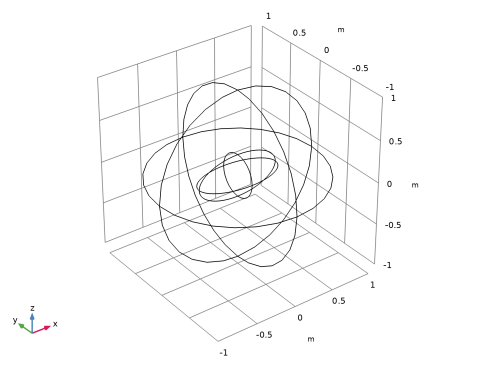
 Zoom Extents button in the Graphics toolbar to see the full geometry and then select wireframe rendering for easier visualization of the internal geometry. This makes selecting internal domains and boundaries much easier. Zoom Extents button in the Graphics toolbar to see the full geometry and then select wireframe rendering for easier visualization of the internal geometry. This makes selecting internal domains and boundaries much easier. |
|
6
|
|
1
|
|
2
|
Select the object sph1 only.
|
|
3
|
|
4
|
|
5
|
Select the object elp1 only.
|
|
6
|
Click
 Build All Objects. Build All Objects. |
|
1
|
|
2
|
|
3
|
|
5
|
|
1
|
|
2
|
Go to the Add Material window.
|
|
3
|
|
4
|
Click the Add to Component button in the window toolbar.
|
|
5
|
|
1
|
In the Settings window for Pressure Acoustics, Frequency Domain, locate the Sound Pressure Level Settings section.
|
|
2
|
From the Reference pressure for the sound pressure level list, choose Use reference pressure for water.
|
|
1
|
|
3
|
|
4
|
|
5
|
|
6
|
|
7
|
|
1
|
|
2
|
|
3
|
|
1
|
|
2
|
|
3
|
|
1
|
|
2
|
|
3
|
|
1
|
|
2
|
|
3
|
|
4
|
Locate the Pressure Acoustics, Frequency Domain (acpr) section. From the Number of mesh elements per wavelength list, choose User defined.
|
|
6
|
Click
 Build All. Build All. |
|
7
|
|
8
|
|
9
|
Click the
 Click and Hide button in the Graphics toolbar. Clicking on a boundary now hides rather than selects it. Click and Hide button in the Graphics toolbar. Clicking on a boundary now hides rather than selects it. |
|
11
|
|
12
|
|
1
|
|
2
|
|
3
|
Clear the Generate default plots checkbox.
|
|
4
|
|
1
|
|
2
|
|
3
|
|
4
|
|
1
|
|
2
|
|
3
|
|
4
|
|
5
|
|
1
|
|
2
|
|
1
|
|
2
|
|
3
|
|
4
|
|
5
|
|
6
|
|
1
|
|
2
|
|
1
|
|
2
|
|
3
|
|
4
|
|
5
|
|
6
|
|
1
|
|
2
|
|
3
|
|
1
|
|
2
|
|
3
|
|
4
|
|
5
|
|
6
|
|
1
|
|
2
|
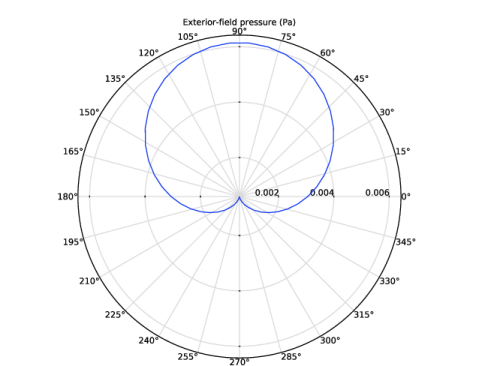
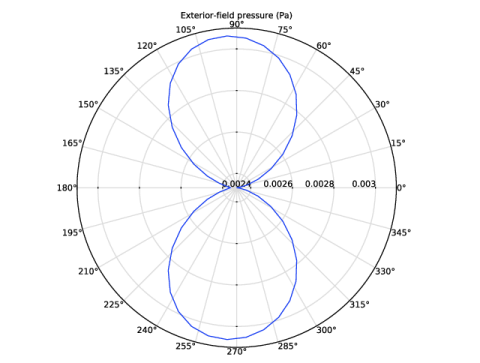
In the Settings window for Polar Plot Group, type Exterior-Field Pressure, xy-Plane in the Label text field.
|
|
1
|
|
2
|
|
3
|
|
4
|
Locate the Evaluation section. Find the Evaluation distance subsection. In the Radius text field, type Rext.
|
|
5
|
|
1
|
|
2
|
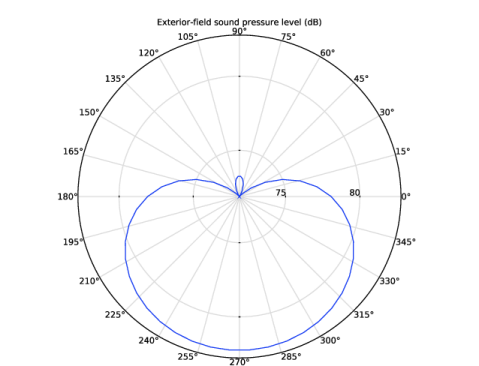
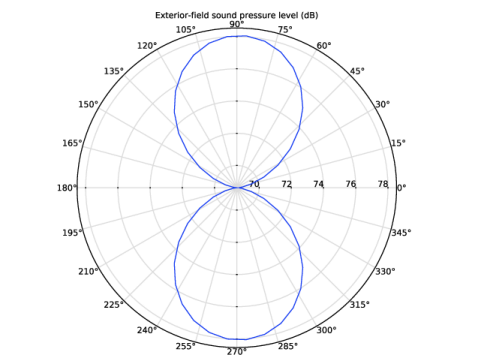
In the Settings window for Polar Plot Group, type Exterior-Field SPL, xy-Plane in the Label text field.
|
|
1
|
In the Model Builder window, expand the Exterior-Field SPL, xy-Plane node, then click Radiation Pattern 1.
|
|
2
|
|
3
|
|
4
|
|
1
|
|
2
|
In the Settings window for Polar Plot Group, type Exterior-Field Pressure, yz-Plane in the Label text field.
|
|
1
|
In the Model Builder window, expand the Exterior-Field Pressure, yz-Plane node, then click Radiation Pattern 1.
|
|
2
|
|
3
|
|
4
|
|
5
|
|
6
|
|
7
|
|
1
|
|
2
|
In the Settings window for Polar Plot Group, type Exterior-Field SPL, yz-Plane in the Label text field.
|
|
1
|
In the Model Builder window, expand the Exterior-Field SPL, yz-Plane node, then click Radiation Pattern 1.
|
|
2
|
|
3
|
|
4
|
|
5
|
|
6
|
|
7
|
|
1
|
|
2
|
Go to the Result Templates window.
|
|
3
|
In the tree, select Study 1/Solution 1 (sol1) > Pressure Acoustics, Frequency Domain > Exterior-Field Sound Pressure Level (acpr).
|
|
4
|
Click the Add Result Template button in the window toolbar.
|
|
5
|
|
1
|
|
2
|
|
1
|
In the Model Builder window, expand the Exterior-Field Sound Pressure Level (acpr) node, then click Radiation Pattern 1.
|
|
2
|
|
3
|
|
4
|
|
5
|
|
6
|
|
7
|
|
8
|
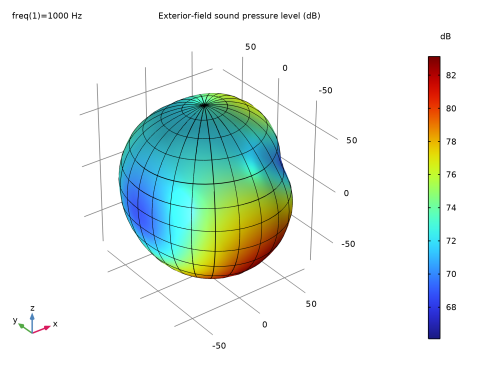
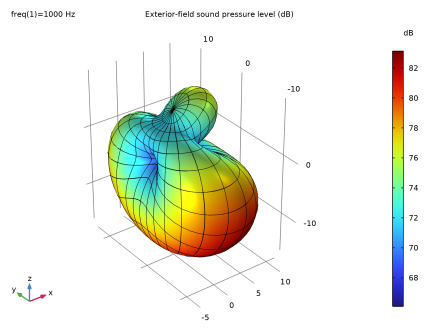
Select the Description checkbox. In the associated text field, type Exterior-field sound pressure level.
|
|
9
|
Clear the Use as color expression checkbox.
|
|
10
|
|
1
|
|
2
|
|
3
|
|
4
|
|
5
|
|
6
|
|
7
|
|
8
|
|
9
|
|
10
|
|
1
|
|
2
|
|
3
|
|
4
|
|
1
|
|
2
|
|
3
|
|
4
|
|
5
|
|
6
|
|
1
|
|
2
|
|
3
|
|
4
|




 next to