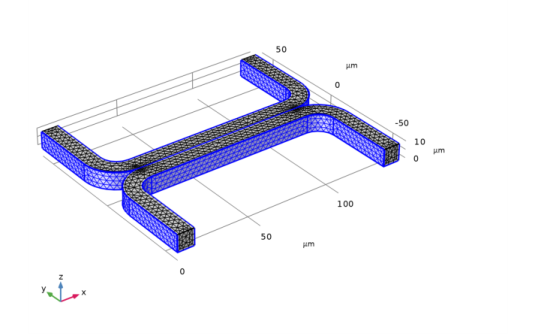
Mesh 1
Set up the mesh. By default, COMSOL Multiphysics will create a mesh for the physics currently in the model. Often this is good enough, but in this case, we want to make some small edits to the default mesh sequence. By default, the fine mesh is not applied to interior boundaries. Typically this is wanted, since interior boundaries are transparent to the fluid flow. However, in this case, the mixing of the two streams occurs close to this interior boundary, so we can add boundary 16, in the middle of the channel, to the Size 1 selection and also to the Boundary Layer Properties 1 mesh feature.
Size
1
2
3
4
Size 2
1
2
3
4
In the Paste Selection dialog, type 16 in the Selection text field.
5
Boundary Layer Properties 1
1
2
3
4
In the Paste Selection dialog, type 16 in the Selection text field.
5
6