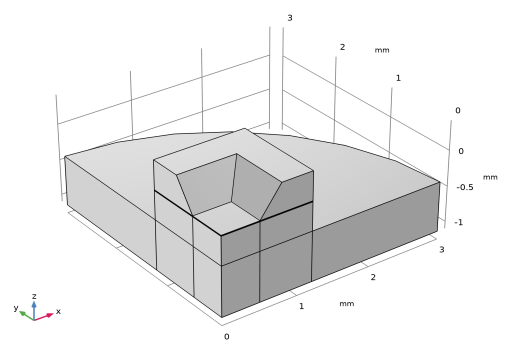
Geometry 1
The geometry is imported from an external file. Since the structure is symmetric, only a quarter of the physical geometry is required.
Import 1
1
In the Geometry toolbar, click Insert Sequence
.
Note:
On Linux and Mac, the toolbar refers to the specific set of controls near the top of the Desktop.
2
Browse to and then open the file
capacitive_pressure_sensor_geom_sequence.mph
in the application library folder MEMS_Module\Sensors.
Note:
The location of the application library root folder varies based on your installation. For example, if the installation is on your hard drive, the file path might be similar to
C:\Program Files\COMSOL\COMSOL64\Multiphysics\applications\
.
3
Click Build All
.
4
Click the Zoom Extents button
at the top of the Graphics window.