To change the settings related to the cosimulation open the Settings — LiveLink for Simulink window by running the command
mphsimsettings in the MATLAB command window.
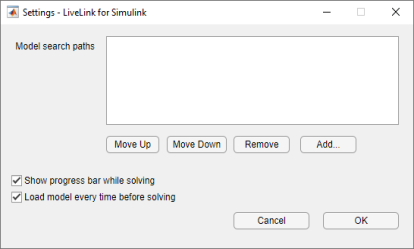
The search order is important in case there are models with the same filename. The path that is higher up in the list will be used for the cosimulation. Use the buttons Move Up and
Move Down to reorder the paths in the list. It is recommended to avoid saving models with identical filenames to different locations. If this is not possible, then, in the
Model search path list, keep only the path of the model to run in the cosimulation.
In order to verify that the simulation is progressing as planned, you can display the COMSOL progress bar when performing the cosimulation. To do this, select the Show progress bar while solving checkbox. The COMSOL progress bar will display the progress of the various steps of the solver, and you can see in case there are any problems during the solution process.