Running the Cosimulation
1
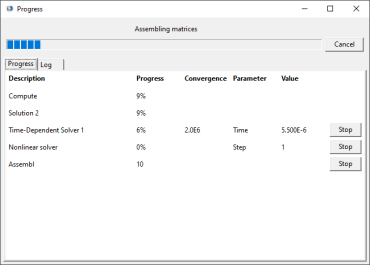
You can monitor the progress in Simulink by watching the progress bar and the updates of the scope. On Windows® and Linux® operating systems, you can monitor the progress in COMSOL for each communication step in the solver progress window that appears.
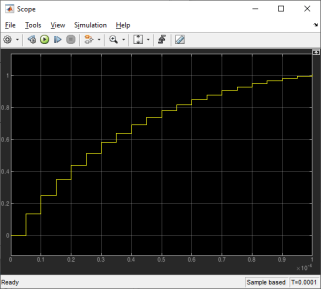
The scope in the following image shows the displacement in micrometers. Since the communication time step is set to 5e-6 seconds the curve appears to have steps. It is an important part of the modeling procedure to choose a suitable communication step size to obtain a reasonable accuracy.
We will now replace the constant voltage with an on/off controller to maintain the tip displacement between 0.71 μm and 0.81 μm.
2
3
4
5
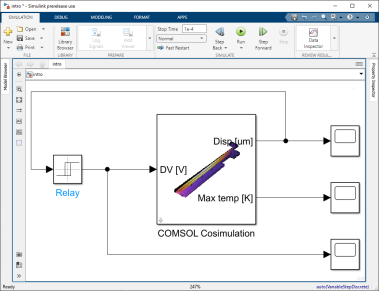
You can also change the name of the scope so that the Simulink diagram looks like the figure below.
6
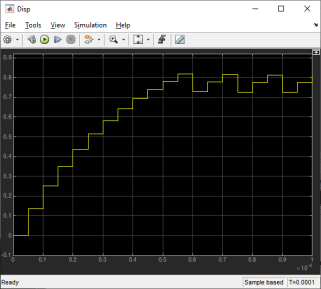
The scope for the tip displacement now shows that the displacement is kept between 0.81 μm and 0.79 μm after the on/off controller has been activated.
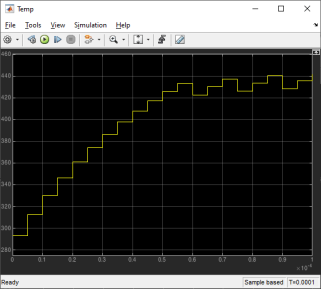
The maximum temperature is kept between 420 K and 440 K.
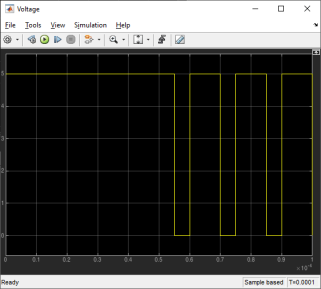
The voltage scope shows the activation of the actuator.