Setting Up the COMSOL Model for Cosimulation
Load the model Thermal Microactuator Simplified from the COMSOL Multiphysics Application Library.
1
2
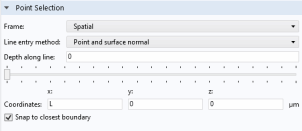
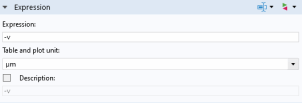
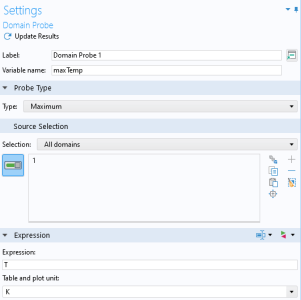
Start with setting up probes in the model to evaluate the actuator tip displacement and the maximum temperature in the actuator. Further ahead, when configuring the cosimulation, you will set these as the output that is passed to Simulink during cosimulation.
3
4
5
6
7
8
9
10
11
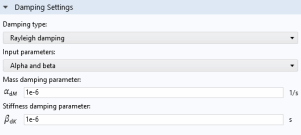
Continue with adding structural damping to the Solid Mechanics interface.
12
13
14
In the Settings window for Damping, in both the αdM and βdK text fields enter 1e-6.
Now continue with the setup of the time-dependent study that you will use for the cosimulation.
15
16
17
18
In the Settings window for Time Dependent, in the Output times text field, type range(0,1e-6,1e-4) as we assume the time unit in Simulink to be seconds.
Note: Make sure to use the same time units in COMSOL and Simulink, as there is no time unit conversion when running a cosimulation.
Continue with setting up manual scaling for the variables to avoid potential convergence problems due to the use of an on/off controller during simulation.
19
20
21
22
23
It is good practice to make sure that the model solves with the intended time interval, time steps, and input parameter range that will be used when performing the cosimulation.
24
The model is now ready for cosimulation, you just need to save it with a new name.
25
26
Browse to a suitable folder, enter the filename thermal_actuator_llsimulink.mph, and then click Save.