Repairing the Geometry
1
In the Geometry toolbar click Defeaturing and Repair
and choose Repair
.
2
In the Graphics window select the wheel rim to add it to the Input objects list.
3
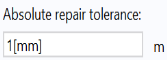
In the Absolute repair tolerance text field enter
1[mm]
.
By keeping the repair tolerance close to the size of the features to be removed you can avoid removing anything else and breaking the geometry. In this case, the detail size for this wheel rim geometry is known from the previous example. In addition to using the Geometry Cleanup Wizard to determine the size of small details, you can also measure the size of geometric entities using the Measure tool found in the Geometry toolbar.
4
Click Build All Objects
to perform the operation.
5
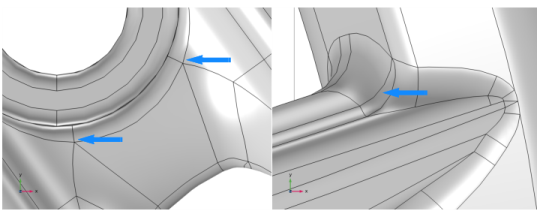
Examine the geometry. Pan and zoom to take a look at the areas that contained the slivers and small faces, which are now no longer present in the geometry.
The small faces and slivers are no longer present in the geometry. According to the Information section in the Settings window for Repair, 100 short edges and 18 sliver faces were removed.
 and choose Repair
  .
.
 to perform the operation.