|
2
|
|
1
|
Switch to Solid Edge.
|
|
3
|
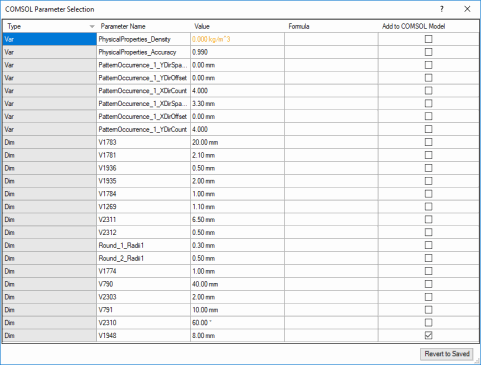
To link the dimension V1784 to COMSOL select the corresponding checkbox in the Add to COMSOL Model column.
|
|
6
|
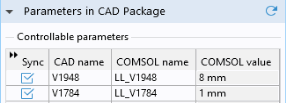
In the Settings window for LiveLink for Solid Edge click the Update Parameters from CAD
 button. button. |
 button, which is found on the COMSOL Multiphysics tab.