Creating the Union of All Objects
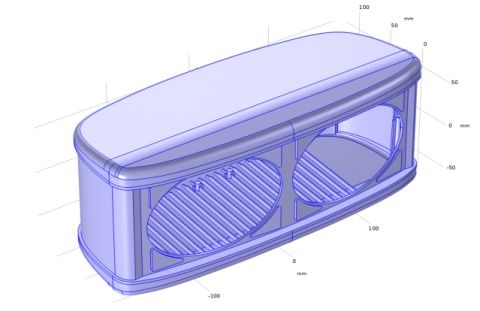
To create faces that cover the openings for the speaker elements use the Cap Faces operation, which can also generate a solid domain inside the enclosure if the created faces result in a new closed volume. To make sure that this is the case you will now create the union of all imported objects.
1
In the Geometry toolbar, click
Booleans and Partitions and choose Union.
2
In the Settings window for Union, from the Input objects list, choose All objects.
3
Clear the Keep interior boundaries checkbox.
With this checkbox cleared the object resulting from the union will have a single domain. If you instead would keep the interior boundaries, the resulting object would have several domains corresponding to the different parts of the enclosure and any intersections between these. This can be useful for assigning different material properties for the different parts.
4
In the Settings window for Union, click
Build Selected.
Examine this new geometry object using the Measure tool.
5
Right-click Geometry 1 and choose Measure.
6
Select the object
uni1
in the Graphics window.
According to the information displayed in the Measure window the object uni1 contains 1 domain and 1400 faces.
 Booleans and Partitions and choose Union.
 Build Selected.