To run these apps you need a connection between MATLAB and a COMSOL server, either using COMSOL with MATLAB or using a manual connection.
|
•
|
COMSOL Model Library (mphmodellibrary) — opens a GUI for viewing the Model Library; see also The Application Libraries Window.
|
|
•
|
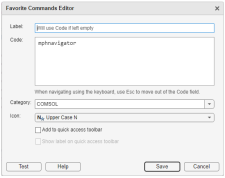
COMSOL Model Navigator (mphnavigator) — opens a GUI for viewing the COMSOL model object defined as model in MATLAB. You can get more information in the section Navigating the Model Object Using a GUI.
|
|
•
|
COMSOL Open (mphopen) — opens a GUI for opening recent files; see also Loading a Model from a List of Existing files.
|
|
•
|
COMSOL Search (mphsearch)— opens a GUI for searching for expressions in the COMSOL model object defined as model in MATLAB. See also Finding Model Expressions.
|
|
|
To run these apps you need a connection between MATLAB and a COMSOL server, either using COMSOL with MATLAB or using a manual connection.
|