|
1
|
|
1
|
|
2
|
|
3
|
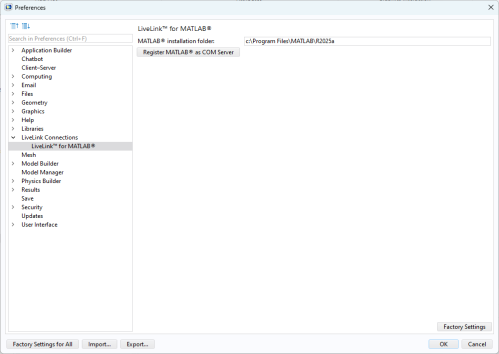
Set the MATLAB root directory path in the MATLAB® installation folder field.
|
|
4
|
Windows users also need to click the Register MATLAB® as COM Server button; otherwise, the specified MATLAB version does not start when calling external MATLAB functions from the COMSOL model.
|
|
5
|
 |
On macOS, select the COMSOL with MATLAB application available in the Application folder. The correct path includes the .app extension.
|
 ).
).