With the function mphgeominfo you can access detailed information of a geometry object as well its data.
where <geomtag> is the tag of either a geometry node or a part geometry node you want the information from. In case of the model has only geometry node, the tag
<geomtag> is optional.
The output info is a MATLAB
® structure. The default fields available in the structure are listed in the table:
where <entitytype> is the type of the entity to get the data from. It can be either
'face',
'edge', or
'vertex'.
data is a MATLAB structure which fields depend on the entity type. These are listed in the table below:
where <sel> is an array of entity numbers.
where <steps> is an integer or a NxM integer array for a face type in case you need to evaluate the data on an uneven grid.
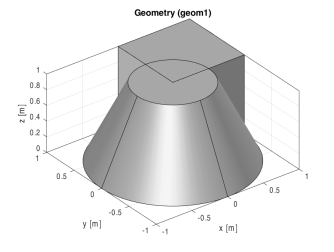
This example shows how to use mphgeominfo to retrieve geometry information.
this returns a 4-by-1 array following the given format: [s1min;
s1max;
s2min;
s2max] where
s1min and
s1max are the minimum, and maximum respectively, of the first surface parameter.
s2min and
s2max are the minimum, and maximum respectively, of the second surface parameter.