Heat Transfer in Solids
1
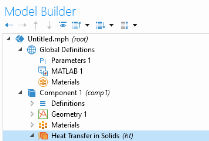
In the Model Builder under Component 1, click Heat Transfer in Solids
.
2
In the ribbon Physics tab, click Boundaries
and choose Temperature
.
3
In the Settings window for Temperature, select boundaries 3, 5, and 6 (You can also use the Paste Selection button
to directly enter the selection).
4
To add a boundary heat flux, in the ribbon Physics tab, click Boundaries and select Heat Flux
.
5
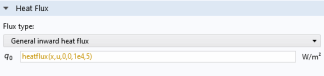
In the Settings window for Heat Flux, select boundary 4 and set the General inward heat flux expression to
heatflux(x,y,0,0,1e4,5)
.

 .
. and choose Temperature
  .
. to directly enter the selection).
 .
.