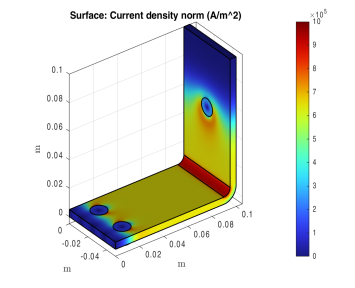
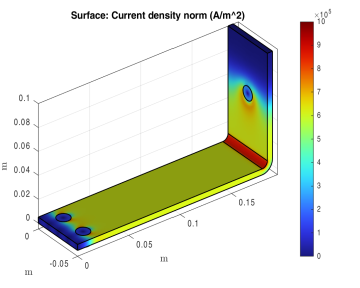
The COMSOL model object allows you to modify parameters, features, or feature properties, using the set method. Once a property value is updated, you can run the appropriate sequence, depending on where the changes were introduced into the model — for example, in the geometry or the mesh sequence. Running the solver sequence automatically runs all sequences where modified settings are detected.
Starting with the busbar model described in A Thorough Example: The Busbar, this section modifies a parameter value and re-solves the model. For this purpose, the geometry of the model is prepared using parameters such as
L for the length of the busbar, and
tbb for the thickness of the busbar.