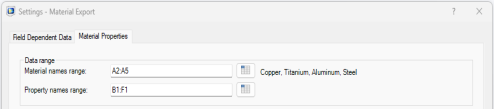
Exporting the Material Properties
Now that you have defined the material export settings for data stored in the workbook you can finalize the export to a new material library.
1
Go to the Materials worksheet.
2
To create a material library using the selected data in the spreadsheet, click New
in the Material Export group. This automatically starts a COMSOL Multiphysics server, if not already started, and the Save Material Library window.
3
In the Save Material Library window browse to the folder .comsol/v64/materials available in the user local directory.
4
In File name text field, enter a name for the material library. For this example, enter My_Materials and click Save.
5
Now go to the Water, liquid worksheet.
6
To append the material to the library created previously, click the Append (
) button.
7
In the Open Material Model window, select My_Materials.mph and click Open.
The next time you start the COMSOL Desktop, the Material Browser will be automatically updated with the new library saved in the .comsol/v64/materials folder.
 in the Material Export group. This automatically starts a COMSOL Multiphysics server, if not already started, and the Save Material Library window.
 ) button.