Saving the Model and the Workbook
To keep the changes you have applied to the busbar model, save it to the MPH-format. To avoid writing over the model from the Application Libraries, use the Save As button.
1
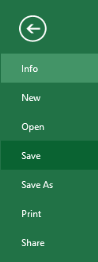
Go to the Excel File menu and select COMSOL. In the COMSOL backstage view click Save button
and then select Save As
, then save the file to a location outside the COMSOL Application Libraries.
2
Continue with saving the Excel workbook, go to the File menu and select Save.
3
You can now exit Excel, which automatically closes the COMSOL Model window as well.
 and then select Save As
  , then save the file to a location outside the COMSOL Application Libraries.