To log in to a COMSOL Server™ interface, on the COMSOL Multiphysics tab in PTC Creo Parametric™ click the
COMSOL Server (

) button.
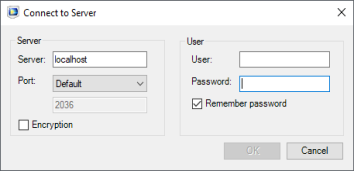
To launch an app click the Launch button below its icon. The app is launched in a separate COMSOL Client window. The first time you start the COMSOL Client you will need to log in to the COMSOL Server.
As an alternative to connecting to the COMSOL Server interface from PTC Creo Parametric™, you can also start the COMSOL Client from the Windows
® Desktop or
Start menu, and log in to the COMSOL Server to launch apps.