Importing the Geometry
Before importing the CAD file, make sure that the CAD kernel is used.
1
2
3
4
5
In your COMSOL installation directory navigate to the folder applications/LiveLink_for_PTC_Creo_Parametric/Tutorials,_CAD_Import and double click the file loudspeaker_enclosure.step.
6
7
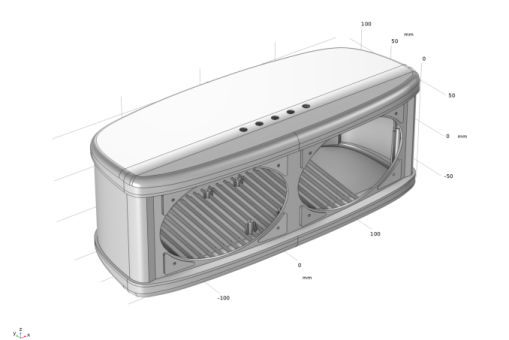
As soon as the import is done the geometry appears in the Graphics window.
The enclosure consists of four solid objects.