Finding and Removing Short Edges
1
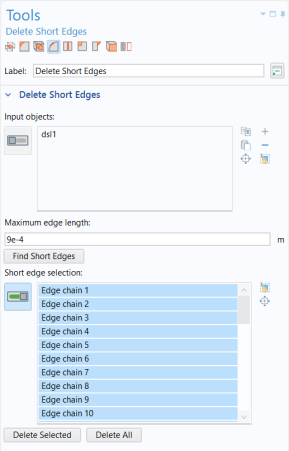
From the toolbar on the top of the Tools window, click Delete Short Edges
.
2
If not already selected, add the wheel rim to the Input objects list.
3
In the Maximum edge length text field enter
4e-4
.
4
Click the Find Short Edges button.
It seems that the previous operations have removed all edges that were shorter than this value.
5
Increase the Maximum edge length to
9e-4
, then click the Find Short Edges button again.
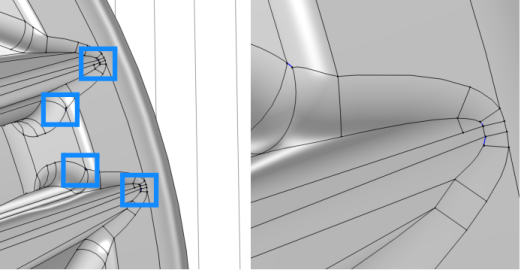
Take some time to find the edges in the list on the geometry and measure their length. They reoccur in similar places on each spoke. Some of the locations are indicated in the figure to the right.
6
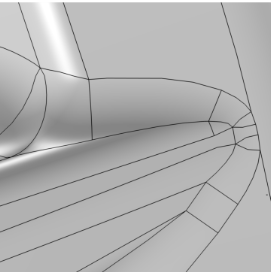
Click the Delete All button.
In the resulting geometry all short edges have been collapsed to vertices. The wheel rim geometry is now similar to the one after the last repair operation in the tutorial
Removing Small Geometric Entities with Repair
. The difference is that by using the defeaturing tools you can have more control over which entities to delete and in which order.
Just as for the Repair operation, it is recommended to use these tools with small tolerances to avoid large modifications to the geometry.
 .
.